Best Motherboard Price in Bangladesh for Intel & AMD PC Builds
What makes one motherboard worth buying and another a costly mistake? Getting the right motherboard price in Bangladesh is about more than finding the lowest number. The motherboard connects every component in your PC — CPU, RAM, storage, GPU, and power supply. A bad board causes instability, bottlenecks, and failed upgrades. At Speed Tech, we carry the full range of Intel and AMD motherboards — from budget B-series boards to flagship Z and X-series — all with genuine warranty and official distributor support.
Why Your Motherboard Choice Shapes Your Entire PC Build
No component controls system compatibility the way a motherboard does.
The socket, chipset, RAM slots, and expansion ports on your motherboard determine what CPU you can use, how much RAM you can install, and how many drives you can add. A processor that does not match your board is completely unusable. RAM that does not fit your slot type wastes your budget.
Three things determine the right board for your build:
- CPU socket — LGA1700 for Intel 12th–14th Gen, AM4 for Ryzen 5000, AM5 for Ryzen 7000
- Chipset — determines overclocking support, PCIe lanes, USB ports, and connectivity
- Form factor — ATX for full-tower builds, Micro-ATX for compact cases, Mini-ITX for small form factor
Get these right before picking any other component. If you are still deciding on a CPU, check our processor price in Bangladesh page first — the right motherboard follows from the processor you choose.
Intel Motherboard Price in Bangladesh
Intel motherboards in Bangladesh are available across three main chipset tiers — H-series for basic builds, B-series for mid-range, and Z-series for overclocking.
At Speed Tech, we stock boards for 12th, 13th, and 14th Gen Intel processors on the LGA1700 socket. Every board is a genuine, warranty-backed unit from authorized distributors.
Intel B760 Motherboard Price in Bangladesh
The B760 is the best value Intel chipset for most buyers in Bangladesh.
It supports 12th, 13th, and 14th Gen Intel processors. It locks CPU overclocking but allows XMP RAM profiles. Intel B760 motherboard price in Bangladesh starts from around BDT 10,000 at Speed Tech.
Top B760 picks at Speed Tech:
- ASUS Prime B760M-A DDR4 — solid entry-level board, Micro-ATX, budget-friendly
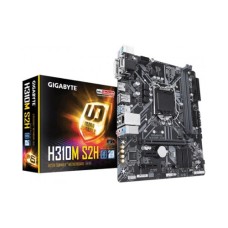
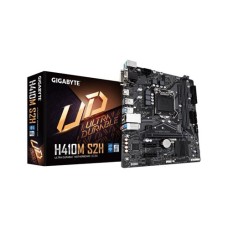
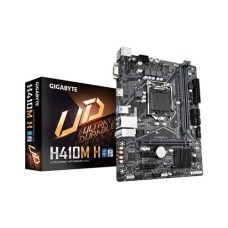
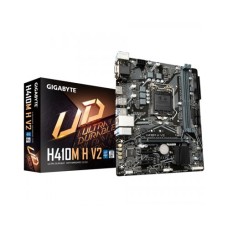
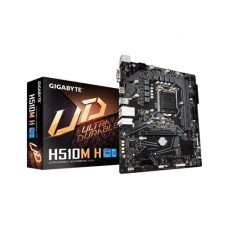
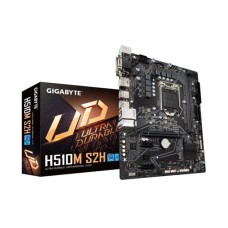
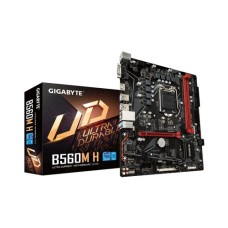
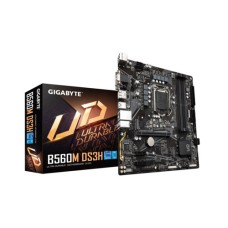
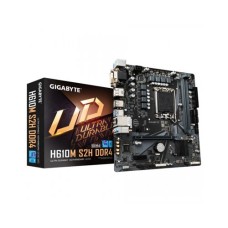
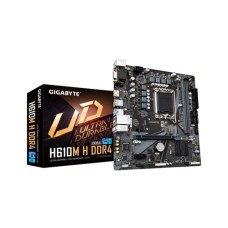
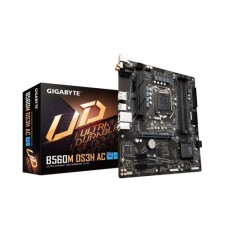
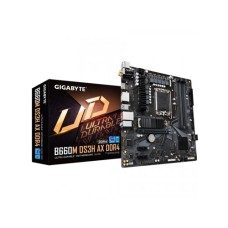
- Our Gigabyte Intel motherboard price in Bangladesh starts from BDT 8,500 on the B760M DS3H AX — built-in WiFi, great value under BDT 15,000
- MSI PRO B760M-A DDR4 II — popular with Core i5 builders, reliable and stable
These boards handle Core i3, i5, and i7 processors without trouble. They are the right pick for everyday builds, budget gaming rigs, and office workstations.
Intel Z790 Motherboard Price in Bangladesh
The Z790 chipset unlocks full overclocking for Intel K-series processors.
It offers more PCIe lanes, better power delivery, and faster connectivity than B760. Intel Z790 motherboard price in Bangladesh starts from around BDT 22,000 and goes well above BDT 50,000 for flagship models.
Top Z790 picks at Speed Tech:
- Our MSI Intel motherboard price in Bangladesh lineup includes the MSI PRO Z790-A MAX WiFi — an excellent all-rounder for Core i7 and i9 builds
- ASUS ROG Strix Z790-F Gaming WiFi — premium gaming board with full connectivity
- Gigabyte Z790 AORUS Elite AX — strong VRM, DDR5 support, solid for overclocking
If you are buying a Core i7-14700K or i9-14900K — a Z790 board is the right match. It gives your CPU the power delivery it needs for sustained performance.
AMD Motherboard Price in Bangladesh
AMD's Ryzen platform gives Bangladesh PC builders two strong choices — the proven AM4 socket and the newer AM5 platform.
AM4 covers Ryzen 3000 and 5000 series processors. AM5 supports Ryzen 7000 series with DDR5 memory. Both platforms are widely available at Speed Tech with full warranty coverage.
AMD B550 Motherboard Price in Bangladesh
The B550 remains one of the most popular motherboards in Bangladesh for AMD builds.
It supports Ryzen 3000 and 5000 series processors on the AM4 socket. It allows RAM overclocking and PCIe 4.0 for NVMe storage. AMD B550 motherboard price in Bangladesh starts from around BDT 9,000 at Speed Tech.
Top B550 picks at Speed Tech:
- ASUS Prime B550M-A — Micro-ATX, solid VRM, great for Ryzen 5 5600 builds
- Gigabyte B550M DS3H — budget-friendly, stable, proven AM4 board
- MSI MAG B550M MORTAR — strong power delivery, popular mid-range choice
The B550 is the right board if you are building on Ryzen 5 5600 or Ryzen 7 5700X. It delivers stable performance without overpaying for chipset features you may never use.
AMD X570 Motherboard Price in Bangladesh
The X570 is the flagship AM4 chipset — built for Ryzen 9 and overclocking-focused builds.
It offers full PCIe 4.0 across all lanes, stronger power delivery, and more USB and M.2 slots. AMD X570 motherboard price in Bangladesh starts from BDT 15,000 at Speed Tech.
Top X570 picks at Speed Tech:
- ASUS ROG Crosshair VIII Hero — premium flagship for Ryzen 9 5900X and 5950X
- Gigabyte X570 AORUS Elite WiFi — WiFi built-in, excellent overclocking headroom
- MSI MEG X570 UNIFY — strong VRM, clean layout, top AM4 overclocking board
If you are running a Ryzen 9 5900X or Ryzen 7 5800X3D — pair it with an X570. The extra PCIe lanes and power headroom matter at that performance level.
AMD B650 Motherboard Price in Bangladesh
The B650 is the go-to chipset for Ryzen 7000 series on the AM5 platform.
It supports DDR5 memory, PCIe 5.0 for NVMe storage, and USB 4.0 on select models. AMD B650 motherboard price in Bangladesh starts from around BDT 14,000 at Speed Tech.
Top B650 picks at Speed Tech:
The B650 is the best value AM5 board for most Bangladesh buyers today. It handles Ryzen 5 and Ryzen 7 builds without limitation — at a price that does not punish your budget.
AMD X670 and X670E Motherboard Price in Bangladesh
The X670 and X670E are AMD's flagship AM5 chipsets for enthusiast builds.
X670E adds PCIe 5.0 on both GPU and NVMe slots — for maximum bandwidth and future-proofing. AMD X670 motherboard price in Bangladesh starts from BDT 28,000 and goes above BDT 60,000 for flagship models.
Top X670 picks at Speed Tech:
- ASUS ROG Crosshair X670E Extreme — the top AM5 board for Ryzen 9 7900X and 7950X
- Gigabyte X670E AORUS Master — excellent VRM, full PCIe 5.0, premium build quality
- MSI MEG X670E ACE — flagship overclocking board, strong power delivery
These boards are for serious builders — not for everyday use. Match them with Ryzen 9 or Ryzen 7 processors and DDR5 RAM for a system that holds its value for years.
Motherboard Buying Guide for Bangladesh PC Builders
Picking the right motherboard requires checking four things before you buy.
Rush this step and you risk buying a board that does not fit your case, cannot support your RAM speed, or throttles your CPU under load. Take five minutes to verify these — and your build runs reliably for years.
Form Factor — ATX, Micro-ATX, or Mini-ITX?
Form factor determines which PC cases your motherboard fits.
ATX is the full-size standard. It has the most expansion slots, better airflow layout, and more room for components. Most mid-tower and full-tower cases take ATX boards.
Micro-ATX is smaller but still carries most features of a full ATX board. It fits in mid-tower and compact cases. It costs less than equivalent ATX models. Most budget and mid-range builds in Bangladesh use Micro-ATX.
Mini-ITX is the smallest option — one PCIe slot, limited RAM slots, premium price. It suits small form factor builds only.
For most Bangladesh buyers — Micro-ATX is the practical choice. It fits standard cases, costs less, and gives up nothing for everyday builds.
VRM Quality and Power Delivery
The VRM feeds clean, stable power directly to your CPU.
A weak VRM throttles your processor under sustained load. This lowers frame rates, extends render times, and shortens CPU lifespan. Budget boards with weak VRMs hurt high-end CPUs more than they help.
Match VRM quality to your CPU tier:
- Core i3 / Ryzen 3 — any B-series board handles it
- Core i5 / Ryzen 5 — mid-range B-series with solid VRM
- Core i7 / Ryzen 7 — upper B-series or Z/X series
- Core i9 / Ryzen 9 — Z790 or X670E with premium VRM
Our Speed Tech team checks VRM ratings for every board we stock. Ask before you buy — we give honest guidance.
RAM Compatibility and Speed
Your motherboard determines which RAM generation you can use — DDR4 or DDR5.
Intel 12th and 13th Gen boards are available in DDR4 and DDR5 variants. AMD AM5 requires DDR5. AMD AM4 uses DDR4 only. Always confirm RAM compatibility before ordering. Browse our desktop RAM price in Bangladesh page to find the right DDR4 or DDR5 kit matched to your board — by speed, capacity, and socket.
Connectivity — WiFi, Bluetooth, USB Ports
WiFi and Bluetooth are not standard on every motherboard.
Boards with "AX" or "WiFi" in the name include built-in WiFi 6 or WiFi 6E. Boards without it require a separate PCIe WiFi card or USB adapter. If you need wireless connectivity — choose a board with WiFi built in. It saves money and a PCIe slot.
Check USB port count at the rear IO panel. Builds with many peripherals need at least six rear USB ports. Flagship boards offer USB 4.0 and Thunderbolt — useful for content creators with fast external storage.
Budget Breakdown — Motherboard Price by Tier in Bangladesh
Your motherboard budget determines your chipset tier. Here is how it breaks down for Bangladesh buyers.
Budget builds under BDT 12,000 land on B760 or B550 boards. These handle everyday computing, office work, and light gaming. ASUS, Gigabyte, and MSI all offer reliable options at this price.
Mid-range builds between BDT 12,000 and 22,000 get a B760 or B650 board. This is where most custom PC builds in Bangladesh sit. You get WiFi, better USB connectivity, and solid VRM quality. A B650 board at this tier supports AM5 and DDR5 for long-term upgradability.
High-end builds between BDT 22,000 and 40,000 step up to Z790 or X670. These chipsets unlock CPU overclocking, more M.2 slots, and stronger power delivery. Match these with Core i7, Core i9, Ryzen 7, or Ryzen 9 processors.
Flagship builds above BDT 40,000 go to Z790 or X670E. These are for professional workstations, extreme overclocking, and content creation rigs. They offer the best VRM, PCIe 5.0 on all slots, and USB 4.0 connectivity.
Most Bangladesh PC builders land in the BDT 10,000–20,000 range. A B760 or B650 board at this price covers gaming, editing, and daily work without restriction.
FAQ
What is the best motherboard for a gaming PC under 15,000 Taka in Bangladesh?
The MSI PRO B760M-A DDR4 II and ASUS Prime B550M-A are the top picks under BDT 15,000. Both deliver stable gaming performance — B760M-A for Intel builds, B550M-A for Ryzen AM4 builds. Either board handles a Core i5 or Ryzen 5 without throttling.
Is AM4 or AM5 better for a new build in Bangladesh?
AM5 is better for new builds today. It supports DDR5, PCIe 5.0, and AMD's latest Ryzen 7000 processors. AM4 is still a strong value if you are buying a Ryzen 5 5600 — boards are cheaper and widely available. For long-term upgradability, AM5 wins.
Can I use DDR4 RAM on a Z790 motherboard in Bangladesh?
Some Z790 boards support DDR4 and some require DDR5 — they are not interchangeable on the same board. Always check the RAM specification of your specific Z790 model before buying. Speed Tech stocks both variants and labels them clearly.
Do all motherboards at Speed Tech come with warranty?
Yes. Every motherboard at Speed Tech is sourced from official Bangladesh distributors. All boards carry valid manufacturer warranty — ASUS, Gigabyte, and MSI all have authorized service centers in Bangladesh.
Which motherboard brand is best in Bangladesh — ASUS, Gigabyte, or MSI?
All three are excellent. ASUS leads in BIOS usability and build quality on premium boards. Gigabyte offers the best value at budget tiers. MSI delivers strong VRM performance across mid-range boards. The right brand depends on your specific chipset and budget — not the logo.