
-228x228.jpg "Corsair CX650 650W 80 Plus Bronze Certified Power Supply")
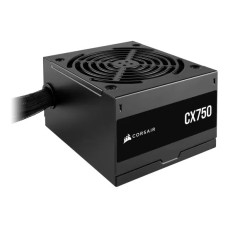
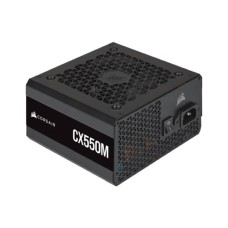
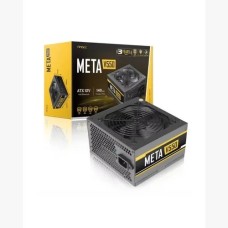
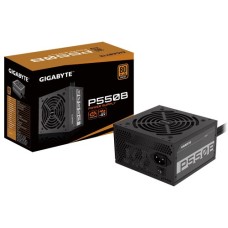
Reliable Power Supply Price in Bangladesh for Stable Gaming and Safe Builds
Does your PC restart randomly during games? Are you planning a new graphics card upgrade? Your power supply might be the weak link. Here at SpeedTech, we list the latest Power Supply Price in Bangladesh for every build. We help you choose a safe, efficient PSU that protects your whole system.
Why Your PSU Matters More Than You Think
The power supply feeds every part inside your PC. The CPU, graphics card, SSD and fans all depend on it. If the PSU fails, it can take other parts down with it.
Many builders spend big on a GPU and save money on the PSU. That's a risky choice. A cheap unit can cause crashes, restarts or even damage.
A good power supply gives you:
- Stable voltage for smooth gaming and editing.
- Protection against surges and short circuits.
- Lower electricity bills through high efficiency.
- Quieter operation with smart fan control.
We always tell our customers the same thing. Never cut corners on the PSU. It's the foundation of a safe and long-lasting PC.
Planning a complete build? Explore our PC components for custom gaming build to match every part.
Power Supply Price in Bangladesh by Wattage
Wattage is the total power a PSU can deliver. Higher wattage costs more. But you only need enough for your parts, plus some headroom.
We show the latest price and live stock for every wattage. Let's match power to your build.
450W to 550W (Office and Entry Builds)
Building an office PC or a basic home setup? A 450W to 550W unit is usually enough. It powers integrated graphics systems and entry-level GPUs.
These units are affordable and efficient for light use. Many buyers choose an 80 Plus Bronze PSU price in BD in this range for reliable daily performance.
- Great for Core i3, Ryzen 3 and Core i5 office PCs.
- Works with entry GPUs like the RTX 3050.
- Low heat and quiet fans.
650W to 750W (Gaming Sweet Spot)
This is where most gamers should shop. It gives enough power for mid-range GPUs with room to spare.
The 650W power supply price in BD fits builds with an RTX 5060 or RX 9060 XT. Moving up, the 750W PSU price suits an RTX 5070, RX 9070 XT and a Core i7 or Ryzen 7.
Upgrading your GPU at the same time? Browse our RTX graphics card price in Bangladesh to pair it right.
A 750W unit also leaves room for future upgrades. That's why it's our top pick for gamers building today. It balances price, power and long-term value.
850W to 1000W+ (High-End and Workstations)
Running an RTX 5080 or RTX 5090? Using a Core i9 or Ryzen 9? Then you need serious power.
The 850W power supply price in Bangladesh covers most high-end gaming rigs. For top GPUs and heavy workstations, the 1000W PSU price gives safe headroom for power spikes.
High-end chips also run hot. Keep them cool with a liquid CPU cooler for high-end builds from our range.
Modern GPUs can spike far above their rated power for a split second. A strong, quality PSU handles these spikes without shutting down.
How to Calculate the Wattage You Need
Picking the right wattage is simple. You only need to add up the power of your main parts.
Here is a quick method we use:
- CPU: Check its TDP or max power draw.
- GPU: Check the recommended PSU wattage on the spec sheet.
- Other parts: Add about 50W to 100W for the motherboard, RAM, SSDs and fans.
- Headroom: Add 20 to 30 percent extra on top.
Not sure about your CPU's power draw? Compare our Intel and AMD processor price in BD list with full specs.
For example, a Ryzen 5 and RTX 5070 build draws around 400W to 450W under load. A 650W to 750W PSU keeps it safe and quiet.
Adding more memory barely changes the total. A DDR5 desktop RAM kit for gaming PC uses only a few watts.
Running a PSU at about 50 to 70 percent load is ideal. It stays cooler, quieter and more efficient there.
You can also use an online PSU calculator. Or just send us your parts list, and we will suggest the right wattage for free.
80 Plus Ratings Explained: Bronze vs Gold vs Platinum
The 80 Plus rating shows how efficiently a PSU turns wall power into PC power. Higher efficiency means less wasted energy and less heat.
Here is a simple breakdown at 50 percent load:
- 80 Plus White: About 80 percent efficient. Basic and budget-focused.
- 80 Plus Bronze: About 85 percent. Good value for most builds.
- 80 Plus Gold: About 90 percent. Our top pick for gaming PCs.
- 80 Plus Platinum and Titanium: 92 to 94 percent and above. Best for workstations and 24/7 systems.
An 80 Plus Gold power supply wastes less power as heat. It runs cooler and quieter. Over a few years, the lower electricity bill helps cover the extra cost.
Bronze units are still solid for office and entry gaming PCs. Just pick a trusted brand. The rating alone doesn't guarantee quality, since parts and protections matter too.
Many buyers also check Cybenetics ratings. They test efficiency and noise in more detail. Both help you compare units fairly.
Modular vs Non-Modular Power Supply
Cables can make or break a clean build. The PSU design decides how many cables you deal with.
Non-modular: All cables are fixed. It's the cheapest option. Unused cables must be tucked away inside the case.
Semi-modular: Main cables like the 24-pin and CPU power are fixed. Others are detachable. It's a good balance of price and tidiness.
Fully modular: Every cable is detachable. You only connect what you need. The fully modular PSU price is higher, but builds look much cleaner.
A modular power supply also improves airflow. Fewer loose cables mean cooler parts inside the case. It also makes upgrades easier later.
For small cases, a modular unit saves real space. For budget office PCs, a non-modular unit works perfectly well.
ATX 3.1 and 12V-2x6: Ready for New GPUs
New graphics cards need new power standards. Older PSUs may not be ready for them.
An ATX 3.1 power supply is built for modern GPUs. It handles short power spikes up to twice its rated wattage. That stops sudden shutdowns during heavy gaming.
It also includes a native 12V-2x6 connector. This single cable powers high-end GPUs like the RTX 5070 Ti, RTX 5080 and RTX 5090. It's safer and cleaner than using many 8-pin adapters.
Buying a PSU for RTX 5070 or higher? We recommend ATX 3.1 with a native 12V-2x6 cable. Here is why:
- Better handling of GPU power spikes.
- Safer connector design with improved sensing pins.
- Fewer adapters and cleaner cable management.
Older ATX 2.x units can still work with adapters. But for new builds, ATX 3.1 is the smart, future-ready choice.
Building on a new platform? Check our PCIe 5.0 gaming motherboard price in BD to complete your setup.
Top Power Supply Brands We Stock
A trusted brand means quality parts, strong protections and a real warranty. We only stock official PSUs from well-known makers.
Corsair: Known for RM, RMx and CX series. Reliable with long warranties. Many builders check the Corsair power supply price in BD first.
Cooler Master: The MWE and V series offer strong value and solid build quality. The Cooler Master PSU price covers budget to premium units.
Deepcool: Popular for PK, PM and PX series. Great performance for the money. The Deepcool power supply price in BD attracts many gamers.
We also carry Thermaltake, Antec, MSI, Gigabyte, ASUS ROG and TUF, Seasonic, FSP and Lian Li. Every unit is official and authentic, with brand warranty.
Premium units often come with 7 to 12 years of warranty. That shows real confidence in build quality.
Protection Features That Save Your PC
A good PSU does more than deliver power. It also protects your parts when something goes wrong.
Look for these key protections:
- OVP (Over Voltage Protection): Stops high voltage from reaching your parts.
- OCP (Over Current Protection): Cuts power if current gets too high.
- SCP (Short Circuit Protection): Shuts down instantly on a short.
- OTP (Over Temperature Protection): Turns off if the unit overheats.
Cheap PSUs often skip some of these. That's why they can damage motherboards and GPUs when they fail.
Quality units also use Japanese capacitors. They handle heat better and last longer. That matters in hot, humid climates like ours.
Load Shedding, Voltage and UPS in Bangladesh
Power in Bangladesh isn't always stable. Load shedding, voltage drops and sudden surges are common. These can stress your PSU and harm your parts.
A quality PSU handles small voltage changes well. Most modern units support 100V to 240V input with active PFC. But they can't stop a full power cut.
That's why we suggest pairing your PSU with backup protection:
- UPS: Keeps your PC running during short power cuts. It gives you time to save work and shut down safely.
- AVR or voltage stabilizer: Smooths out low and high voltage in areas with unstable supply.
- Surge protector: Blocks sudden spikes from storms or grid faults.
Match your UPS to your PC's real power draw. A mid-range gaming PC often needs a 1200VA to 1500VA UPS. High-end rigs may need 2000VA or more.
Some high-efficiency PSUs with active PFC work best with pure sine wave UPS units. Ask us, and we'll help you match the right combo.
Avoid Cheap and Fake PSUs
This is where many PC builders get burned. Some cheap PSUs print a high wattage on the label. But they can't deliver that power in real use.
These units often fail under gaming load. Some shut down randomly. Others fail badly and damage the motherboard or GPU.
Watch for these red flags:
- Very high wattage at a very low price.
- No 80 Plus rating or certification.
- Unknown brand with no local warranty.
- Very light weight, which often means cheap parts inside.
Every power supply we sell is official and brand-new. You get genuine parts, real rated wattage and proper protections.
When a PSU fails under warranty, we help with the claim. You never have to deal with it alone.
Gaming Power Supply and SFX Options
Gamers need steady power for long sessions. A good gaming power supply keeps voltage clean when the GPU pulls hard. That means fewer crashes and smoother frame rates.
The best PSU for gaming PC builds usually has:
- 80 Plus Gold efficiency or better.
- ATX 3.1 with a native 12V-2x6 cable.
- Fully or semi-modular design.
- A quiet fan with zero-RPM mode at low load.
A stable rig deserves a sharp display too. See our 144Hz gaming monitor price in BD to see every frame.
Building a small form factor PC? You'll need an SFX or SFX-L power supply. These are smaller than standard ATX units but still deliver high power.
Always check your case's supported PSU type and length before buying. A long ATX unit may not fit a compact case.
Need a case that fits your PSU perfectly? Explore our ATX gaming casing with PSU shroud for clean builds.
How Long Does a Power Supply Last?
A quality PSU usually lasts 7 to 10 years. Premium units with long warranties often go even longer.
Here is how to extend its life:
- Keep the PSU fan intake clear of dust.
- Mount the fan facing a filtered vent if your case allows.
- Avoid running it near 100 percent load all the time.
- Use a UPS or surge protector.
Signs your PSU may be failing include random restarts, burning smells, loud fan noise or a PC that won't boot. Replace it quickly to protect your other parts.
Where Is the Best Place to Buy a Power Supply Online in Bangladesh?
At SpeedTech, we make buying a PSU simple. You get the latest price, live in-stock status and honest advice in one place.
Why builders across Bangladesh trust us:
- 100 percent official and authentic power supplies.
- Brand warranty with full claim support.
- Fast delivery across Dhaka and all of Bangladesh.
- Free wattage and compatibility checks for your build.
Browse our full power supply range above. Compare wattage, efficiency and brand. Need help? Our team is one message away.
Frequently Asked Questions
What is the power supply price in Bangladesh?
The power supply price in Bangladesh depends on wattage, efficiency and brand. 450W Bronze units cost the least. 1000W Gold or Platinum units cost more. Check our page for the latest price.
Where can I buy a power supply in Bangladesh?
You can buy a power supply from SpeedTech. We sell official Corsair, Cooler Master, Deepcool and Thermaltake PSUs with warranty and deliver across Bangladesh.
What makes an 80 Plus Gold PSU ideal for gamers?
An 80 Plus Gold PSU gives stable power with less heat and noise. It handles long gaming sessions reliably and lowers your electricity bill over time.
How many watts PSU do I need?
Add your CPU and GPU power, then add 100W for other parts. Add 20 to 30 percent headroom. Most gaming PCs need 650W to 850W.
Is a 650W PSU enough for an RTX 5070?
A quality 650W unit can work, but 750W is safer. It gives better headroom for power spikes and future upgrades.
Bronze vs Gold PSU, which is better?
Gold is more efficient and runs cooler. Bronze is cheaper and fine for office and entry gaming PCs. For mid to high-end gaming, choose Gold.
Modular vs non-modular PSU, which should I choose?
Modular is better for clean builds and airflow. Non-modular is cheaper and works well for budget PCs. Semi-modular gives a good balance.
Can a bad power supply damage my PC?
Yes, a cheap or failing PSU can damage the motherboard, GPU or storage. Always choose a trusted brand with full protections.
Do I need a UPS with a good PSU?
Yes, a PSU can't keep your PC running during power cuts. A UPS protects your work and parts during load shedding in Bangladesh.
How long does a power supply last?
A quality PSU lasts 7 to 10 years. Keep it dust-free and avoid constant full load to extend its life.