library_add
Compare
0

Compare Product (0)

close

Your compare list is empty!

shopping_basket
Cart
0

YOUR CART

close

Your shopping cart is empty!
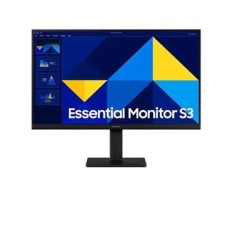
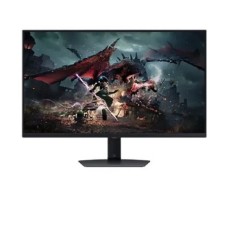
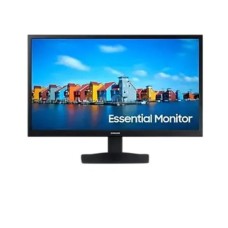
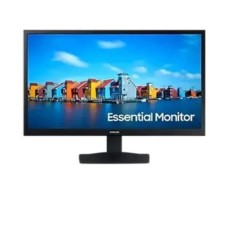
Samsung Monitor Price in BD 2026

Find Samsung Monitor Price in BD listed below. The range starts from BDT 9,000৳ and goes up to BDT 195,000৳ with a total of 16 different products available. Of these, 8 products are currently in stock, and 0 of them are offered at the best discount price. The price list was last updated on 18 Jul, 2026 by Speed Technology & Engineering Ltd .

Samsung LS19A330NHW 19 inch LED Monitor

  • Resolution: HD (1,366 x 768)
  • Display: TN, 60Hz, 5ms GTG
  • Ports: VGA, HDMI
  • Features: Eye saver Mode, Flicker Free
9,000৳
library_add Add to Compare

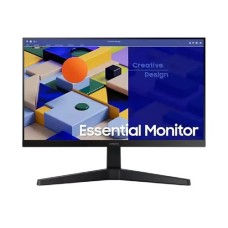
Samsung LS22D300GAW 22 Inch FHD IPS Black Monitor

  • Display Size: 22 Inch
  • Ports: VGA, HDMI
  • Features: Eco Saving Plus, Flicker Free, Eye Saver Mode
  • Resulation: Full HD (1920 x 1080)
14,300৳
library_add Add to Compare

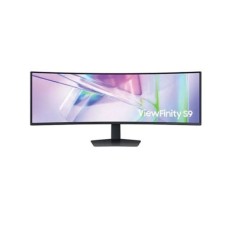
Samsung ViewFinity LS49C950UAW S95UC 49 Inch DQHD Business Monitor

  • USB-C (90W) + LAN Connectivity
  • 120Hz Refresh Rate with HDR400
  • 49” Dual QHD 32:9 Curved Display
  • Built-in Speakers & Ergonomic Design
160,000৳
library_add Add to Compare

Samsung LS27D300GAW 27 Inch 100Hz FHD IPS Monitor

  • HDMI & VGA Connectivity
  • Eye Comfort (Flicker-Free + Low Blue Light)
  • 100Hz Smooth Refresh Rate
  • 27" FHD IPS Display
24,000৳
library_add Add to Compare

Samsung LS24D300GAW 23.8 inch 100Hz FHD IPS Monitor

  • HDMI & VGA Connectivity
  • Eye Care (Flicker-Free + Low Blue Light)
  • 100Hz Smooth Refresh Rate
  • 23.8" FHD IPS Display
17,000৳
library_add Add to Compare

Samsung Odyssey G5 LS32DG500EW 32-Inch QHD 180Hz Gaming Monitor

  • HDR400 + FreeSync
  • 1ms Response Time
  • 180Hz Refresh Rate
  • 32” QHD IPS Display
50,000৳
library_add Add to Compare

Samsung LS19A330NHW 19 inch LED Monitor

  • Flicker-Free & Eye Care
  • HDMI & VGA Connectivity
  • 5ms Response Time
  • 19" HD LED Display
9,100৳
library_add Add to Compare

Samsung ODYSSEY G9 LS49CG930SW 49 Inch 240Hz OLED Curved Gaming Monitor

  • HDR10+ & True Black 400 Support
  • FreeSync Premium Pro & G-Sync Ready
  • 0.03ms Ultra-Fast Response Time
  • 49” Curved OLED 240Hz Gaming Display
190,000৳
library_add Add to Compare

Samsung LS24C310EAW 24 inch 75Hz FHD IPS Monitor

  • Resolution: Full HD (1920 x 1080)
  • Display: IPS, 75Hz, 5ms (GTG)
  • Ports: 1x HDMI,1x D-Sub
  • Features: Free Sync, Flicker Free, Low Blue Light
19,000৳
library_add Add to Compare

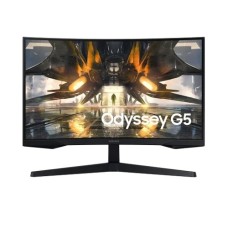
Samsung ODYSSEY G5 32 Inch 165Hz QHD Curved Gaming Monitor

  • Resolution: QHD (2,560 x 1,440)
  • Display: VA, 165Hz, 1ms(MPRT)
  • Ports: 1x HDMI2.0, 1x DP1.4
  • Features: AMD FreeSync, Flicker Free
58,000৳
library_add Add to Compare

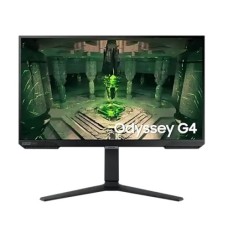
Samsung ODYSSEY G4 LS27BG400EWX 27 inch 240Hz IPS FHD Gaming Monitor

  • esolution: FHD 1,920 x 1,080
  • Display: IPS, 240Hz, 1ms(MPRT)
  • Ports: 1x HDMI 2.2, 1x DP
  • Features: AMD FreeSync, Flicker Free
44,000৳
library_add Add to Compare

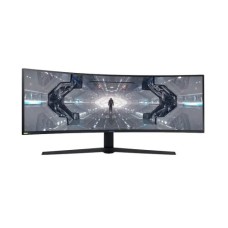
Samsung ODYSSEY G9 LS49CG930SWX 49" 240Hz QLED Gaming Monitor

  • Resolution: Dual-QHD (5,120 x 1,440)
  • Display: VA, 240Hz, 1ms(GTG)
  • Ports: 1x HDMI, 1x DP1.4
  • Features: AMD FreeSync, Flicker Free, FreeSync Premium Pro
195,000৳
library_add Add to Compare

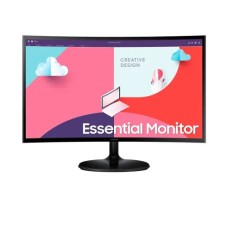
Samsung LS24C360EAW 24 inch 75Hz FHD Curved Monitor

  • Resolution: Full HD (1920 x 1080)
  • Display: VA, 75Hz, 4ms (GTG)
  • Ports: 1x HDMI,1x D-Sub
  • Features: Free Sync, Flicker Free, Low Blue Light
18,500৳
library_add Add to Compare

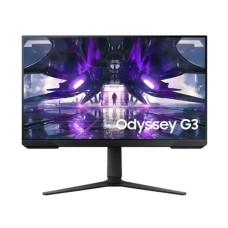
Samsung ODYSSEY G3 LS32AG320NWX 32 inch FHD 165Hz Gaming Monitor

  • Resolution: FHD 1,920 x 1,080
  • Display: VA, 165Hz, 1ms(MPRT)
  • Ports: 1.4x HDMI, 1.2x DP
  • Features: AMD FreeSync, Flicker Free, Low blue Light
42,000৳
library_add Add to Compare

Samsung ODYSSEY G3 LS27AG320NWX 27 inch 165Hz FHD Gaming Monitor

  • Resolution: FHD 1,920 x 1,080
  • Display: VA, 165Hz, 1ms(MPRT)
  • Ports: 1.4x HDMI, 1.2x DP
  • Features: AMD FreeSync, Flicker Free, Low blue Light
32,500৳
library_add Add to Compare

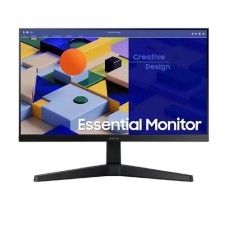
Samsung LS22C310EA 22 inch Full HD IPS Monitor

  • Resolution: Full HD (1920 x 1080)
  • Display: IPS, 75Hz, 5ms (GTG)
  • Ports: 1x HDMI,1x D-Sub
  • Features: Free Sync, Flicker Free, Low Blue Light
12,500৳
library_add Add to Compare
Showing 1 to 16 of 16 (1 Pages)

Samsung Monitor Low Price in Bangladesh – Best Budget Samsung Displays for Everyday Use

A Samsung Electronics monitor is a high-quality display device designed for everyday computing, professional work, entertainment, and gaming. Samsung is one of the world’s leading technology brands, known for producing reliable monitors with modern designs, advanced display panels, and eye-comfort features. Whether you are working in an office, studying at home, editing photos, or playing games, Samsung monitors provide clear visuals, smooth performance, and long-lasting durability. Samsung monitors come in different sizes and technologies such as LED, IPS, VA, curved displays, and high refresh-rate gaming screens. These monitors are popular because of their slim bezels, vibrant colors, and energy-efficient performance. Many models also include features like AMD FreeSync, Eye Saver Mode, and Flicker-Free technology to reduce eye strain during long working hours. Students, office professionals, designers, and gamers all prefer Samsung monitors for their consistent quality and user-friendly design. With Full HD, Quad HD, and even Ultra-Wide display options, users can easily find a monitor that fits their needs and budget. If you are planning to buy a reliable display for your desktop setup, checking the samsung monitor price in bangladesh is important before making a decision. In Bangladesh, Samsung monitors are available at affordable prices starting from around BDT 9,000 to BDT 35,000+, depending on the size, resolution, and advanced features. For example, many users search for samsung monitor 22 inch price in bangladesh because it is a budget-friendly option ideal for office tasks and home use. On the other hand, the samsung monitor 24 inch price in bangladesh is also very popular since it offers a larger viewing area, better productivity, and an immersive experience for gaming, multimedia, and professional work.

Different Types of Samsung Monitors Available in BD

Samsung Electronics is one of the most trusted technology brands in the world, and its monitors are widely used in Bangladesh for office work, gaming, entertainment, and professional creative tasks. Samsung monitors are known for their sleek design, reliable performance, advanced display technologies, and eye-care features. From budget-friendly displays for students to high-end gaming monitors for professionals, Samsung offers a variety of monitor types to meet different needs. Below are some of the most popular types of Samsung monitors available in Bangladesh.

Samsung LED Monitor

Samsung LED monitors are the most commonly used displays for everyday computing. These monitors are energy-efficient, slim, and lightweight while providing bright and clear picture quality. They are perfect for office work, online classes, browsing, and watching videos. LED monitors are also affordable, making them a popular choice for home and office users in Bangladesh.

Samsung IPS Monitor

IPS monitors from Samsung are designed to deliver accurate colors and wide viewing angles. These monitors are ideal for graphic designers, photographers, and video editors who need precise color reproduction. The IPS panel ensures that images remain clear and vibrant even when viewed from different angles.

Samsung Curved Monitor

Curved monitors are designed to provide a more immersive viewing experience. Samsung curved monitors match the natural curve of the human eye, helping reduce eye strain and improving viewing comfort. They are excellent for entertainment, multitasking, and gaming, offering a more engaging screen experience.

Samsung Gaming Monitor

Samsung gaming monitors are built for performance and speed. These monitors often feature high refresh rates such as 144Hz or higher, fast response times, and technologies like AMD FreeSync. Gamers prefer these monitors because they deliver smoother gameplay and reduce screen tearing during fast-paced action.

Samsung Ultra-Wide Monitor

Ultra-wide Samsung monitors provide a larger screen area compared to standard displays. These monitors are ideal for professionals who work with multiple applications at once. They are widely used for video editing, programming, graphic design, and multitasking.

Samsung Smart Monitor

Samsung smart monitors combine the features of a monitor and a smart TV. Users can stream content, browse the internet, and use apps without connecting a computer. This makes them a versatile option for both productivity and entertainment at home or in the office.

The Tech Behind the Speed: Key Performance Factors

When choosing a high-performance monitor, understanding the core technology behind it is essential. Samsung monitors are known for combining advanced display technology with modern features that improve productivity, gaming, and entertainment. From screen size to refresh rate, several key performance factors determine how well a Samsung monitor performs for different users.

  • Display Size Options: Samsung monitors come in a wide range of display sizes to match different user needs. Compact 18–20 inch monitors are ideal for small desks and basic office tasks, while 21–22 inch and 23–25 inch models are perfect for everyday computing and study. For professionals and gamers, larger displays such as 26–30 inch and 31 inch & above provide more screen space and a more immersive viewing experience.
  • High-Quality Display Resolution: Resolution plays a major role in image clarity and sharpness. Samsung monitors are available in several resolution options including Full HD, 2K, QHD (2560×1440), and 4K UHD. Higher resolutions provide sharper images and more detailed visuals, making them ideal for graphic design, video editing, and high-quality media consumption.
  • Smooth Refresh Rate Performance: Refresh rate determines how smoothly motion appears on the screen. Samsung monitors offer refresh rates such as 60Hz, 75Hz, 100Hz, 120Hz, 144Hz, 165Hz, 180Hz, and even 240Hz. Higher refresh rates are particularly beneficial for gamers, as they deliver smoother gameplay and reduce motion blur.
  • Advanced Display Panel Technology: Samsung uses different panel technologies including IPS, VA, OLED, and TN. IPS panels offer excellent color accuracy and wide viewing angles, VA panels provide deep contrast, OLED delivers vibrant visuals, and TN panels are often preferred for ultra-fast response times in gaming.
  • Gaming and Performance Features: Many Samsung monitors include gaming-focused technologies such as AMD FreeSync and NVIDIA G-Sync, which help reduce screen tearing and stuttering. Curved displays also enhance immersion, especially in gaming and multimedia use.
  • Connectivity and Extra Features: Samsung monitors are designed with modern connectivity and convenience features such as USB ports, Type-C connectivity, built-in speakers, audio jack support, and wall-mount compatibility. These features improve usability and allow users to easily connect multiple devices for work or entertainment.

Samsung Monitor Performance Bottlenecks: A Quick Check Guide

If your Samsung monitor is not performing as expected, a few simple checks can help identify the problem quickly. Many users experience display lag, blurry visuals, or connectivity issues that reduce overall performance. Understanding the common bottlenecks can help you optimize your monitor and enjoy smoother visuals for work, gaming, or entertainment.

  1. Check Display Resolution and Refresh Rate: Ensure your monitor is running at its native resolution and correct refresh rate. Incorrect settings can cause blurry images, screen flickering, or less smooth performance. Always set the recommended resolution from your system display settings.
  2. Inspect HDMI or DisplayPort Cable Quality: Low-quality or damaged cables can limit monitor performance. Using a high-speed HDMI or DisplayPort cable ensures stable signal transmission and better display quality.
  3. Update Graphics Drivers: Outdated GPU drivers can cause compatibility issues with modern monitors. Updating your graphics drivers regularly improves display performance and prevents screen glitches.
  4. Disable Unnecessary Background Applications: Heavy applications running in the background can affect graphics performance, especially during gaming or video editing.
  5. Adjust Monitor Settings and Game Mode: Samsung monitors often include features like Eye Saver Mode, Game Mode, and adaptive sync. Properly adjusting these settings can improve response time, color balance, and overall viewing comfort.

Top Reasons to Choose a Samsung Monitor from SpeedTech

Choosing a Samsung Electronics monitor from SpeedTech ensures you get authentic products, competitive prices, and reliable customer support. SpeedTech is known for offering a wide collection of Samsung monitors suitable for office work, gaming, design, and everyday entertainment. One major reason to buy from SpeedTech is the availability of the latest Samsung monitor models with different screen sizes, refresh rates, and display technologies. Customers can easily find Full HD, QHD, and even 4K Samsung monitors at affordable prices. SpeedTech also provides genuine warranty support and after-sales service, which gives buyers extra peace of mind. In addition, their expert team helps customers choose the right monitor based on their budget and usage needs, making the buying experience simple and convenient.

FAQs

Are Samsung monitors good for gaming?

Yes, Samsung monitors are excellent for gaming. Many models feature high refresh rates like 144Hz or 165Hz, low response times, and technologies such as AMD FreeSync or NVIDIA G-Sync for smoother gameplay.

What is the average Samsung monitor price in Bangladesh?

The Samsung monitor price in Bangladesh usually starts from around BDT 9,000–12,000 for entry-level models and can go up to BDT 40,000 or more for larger or gaming monitors.

Which Samsung monitor size is best for everyday use?

For most users, 22-inch to 24-inch Samsung monitors are ideal. They offer a comfortable screen size for office work, study, browsing, and multimedia use without taking up too much desk space.

Do Samsung monitors support wall mounting?

Yes, many Samsung monitors support VESA wall mounting, allowing users to mount the monitor on a wall or monitor arm for better workspace management.

Are Samsung monitors good for graphic design?

Yes, Samsung monitors with IPS or high-resolution displays provide accurate colors and wide viewing angles, making them suitable for graphic design, photo editing, and video production.

What is the Samsung price in Bangladesh 2026?

Speed Technology & Engineering Ltd Samsung Price List page shows you prices for the latest Samsung models available in Bangladesh with Avail benefits such as free shipping, EMI, extended warranty, and assured buyback. Find the lowest prices in Bangladesh along with product specifications, key features, pictures, ratings & more. The lowest prices are obtained for easy price comparison. Follow us on Facebook For Regular updates & offers. Subscribe to Our YouTube Channel for Product Reviews.


Latest Samsung price List in BD 2026

View today 2026-07-19 last updated prices of Samsung in Bangladesh.

Samsung List Price in BD
Samsung LS19A330NHW 19 inch LED Monitor 9,000৳
Samsung LS22D300GAW 22 Inch FHD IPS Black Monitor 14,300৳
Samsung ViewFinity LS49C950UAW S95UC 49 Inch DQHD Business Monitor 160,000৳
Samsung LS27D300GAW 27 Inch 100Hz FHD IPS Monitor 24,000৳
Samsung LS24D300GAW 23.8 inch 100Hz FHD IPS Monitor 17,000৳
Samsung Odyssey G5 LS32DG500EW 32-Inch QHD 180Hz Gaming Monitor 50,000৳
Samsung LS19A330NHW 19 inch LED Monitor 9,100৳
Samsung ODYSSEY G9 LS49CG930SW 49 Inch 240Hz OLED Curved Gaming Monitor 190,000৳
Samsung LS24C310EAW 24 inch 75Hz FHD IPS Monitor 19,000৳
Samsung ODYSSEY G5 32 Inch 165Hz QHD Curved Gaming Monitor 58,000৳