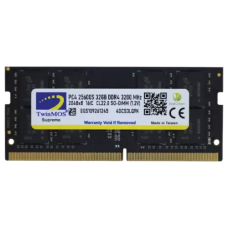
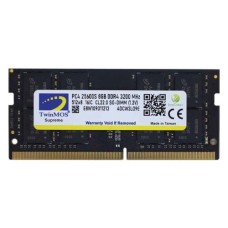
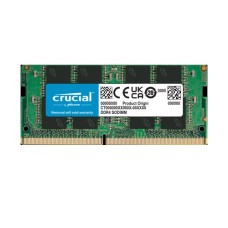
Reliable Laptop RAM Price in Bangladesh for Faster Multitasking and Gaming
Is your laptop slowing down with just a few tabs open? Does Zoom lag while you work? A RAM upgrade can bring it back to life. Here at SpeedTech, we list the latest Laptop RAM Price in Bangladesh for DDR4 and DDR5 SODIMM. We help you pick memory that fits your laptop and your budget.
Why a Laptop RAM Upgrade Is Worth It
Many laptops ship with only 8GB of RAM, and some still have 4GB. That's not enough for today's apps. Windows 11 and Chrome alone can fill it fast.
When RAM runs out, your laptop uses the SSD as backup memory. That slows everything down. You see lag, freezes and long loading times.
A RAM upgrade fixes this for little money. Here is what changes:
- Smooth multitasking with many tabs and apps.
- Faster Zoom, Teams and Google Meet calls.
- Better FPS on laptops with integrated graphics.
- Quicker photo and video editing.
We help students, freelancers and office users upgrade every week. Most are surprised by how much faster their laptop feels. It's often cheaper than buying a new machine.
Want the full speed boost? Pair your memory with a laptop SSD upgrade for faster boot and app loading.
Laptop RAM Price in Bangladesh by Capacity
Capacity decides how much work your laptop can handle at once. More capacity costs more, but it gives more headroom.
We show the latest price and live stock for every size. Let's match capacity to your use.
8GB Laptop RAM (Daily Use)
Does your laptop have 4GB right now? Adding one 8GB stick can make a huge difference. It's the cheapest upgrade for basic laptops.
Many buyers check the 8GB laptop RAM price in BD for student and office laptops. It handles browsing, Microsoft Office and online classes well.
Adding 8GB to an existing 8GB stick gives you 16GB in dual channel. That's a smart and affordable upgrade.
16GB Laptop RAM (Best All-Rounder)
16GB is the sweet spot for most laptop users today. It handles multitasking, light editing and gaming easily.
The 16GB laptop RAM price gives the best value for money. We suggest it for freelancers, programmers and university students.
- Runs Chrome, Office and Zoom together without lag.
- Handles Photoshop, Canva and light Premiere Pro work.
- Good for coding tools and virtual machines.
For best speed, use 2x8GB in dual channel. If your laptop has only one slot, a single 16GB stick works well too.
32GB and 64GB Laptop RAM (Creators and Gamers)
Do you edit 4K video or run heavy design apps? Own a gaming laptop? Then more memory pays off.
The 32GB laptop RAM price in Bangladesh has become much more affordable. It's now common in gaming and creator laptops. It gives room for editing, streaming and big games together.
64GB suits developers, 3D artists and AI users. Check your laptop's maximum supported RAM first. Many models support 64GB, but not all.
DDR4 vs DDR5 Laptop RAM
This is the most important thing to check. DDR4 and DDR5 laptop RAM are not interchangeable. The notch position and pin count are different.
DDR4 SODIMM: Found in most laptops from 2017 to 2021. Speeds range from 2400 to 3200MHz. The DDR4 laptop RAM price in BD is lower, which makes upgrades cheap.
DDR5 SODIMM: Found in newer laptops with Intel 12th Gen and later, or AMD Ryzen 6000 and later. Speeds start at 4800MT/s and go to 5600MT/s and above.
Planning a desktop build as well? Check our Intel Core processor price in BD for DDR5-ready platforms.
Here is a quick comparison:
- Speed: DDR5 is much faster, with more bandwidth.
- Power: DDR5 uses lower voltage, which helps battery life.
- Pins: DDR4 has 260 pins, and DDR5 has 262 pins.
- Price: DDR4 is cheaper, and the DDR5 laptop RAM price keeps falling.
Your laptop decides which one you need. You can't choose freely here. We show you how to check below.
Can Your Laptop RAM Be Upgraded?
Not every laptop allows a RAM upgrade. This is the first thing to check. It saves you time and money.
There are three common types:
- Fully upgradeable: Two SODIMM slots. You can replace or add sticks freely.
- Partly upgradeable: Some RAM is soldered, plus one free slot. You can add one stick.
- Fully soldered: RAM is fixed on the board. No upgrade is possible.
Thin ultrabooks often use soldered LPDDR5 or LPDDR5X memory. It's fast and power-efficient, but it can't be changed. Many MacBooks and slim laptops fall in this group.
Buying a slim model? Choose a premium ultrabook with 16GB RAM or more from day one.
Gaming laptops and business laptops usually have two open slots. Most HP, Dell, Lenovo and Asus mid-range models are upgradeable too.
Is your old laptop fully soldered and too slow? Explore our new laptop price in Bangladesh for a fresh start.
Planning a laptop RAM upgrade? Always confirm the slot type first. Our team can check your model for free before you order.
How to Check Your Laptop's Supported RAM
You don't need to open your laptop to find out what it needs. Here are simple ways to check.
Use Task Manager: Press Ctrl + Shift + Esc. Go to Performance, then Memory. It shows your RAM speed, used slots and form factor.
Use a free tool like CPU-Z: The Memory and SPD tabs show the type (DDR4 or DDR5), speed and brand of each stick.
Check the brand's website: Search your exact laptop model. The spec sheet lists maximum RAM and the number of slots.
Write down these details before buying:
- RAM type: DDR4 or DDR5.
- Current speed, like 3200MHz or 5600MT/s.
- Number of slots and free slots.
- Maximum supported capacity.
Not comfortable checking? Just send us your laptop model number. We will tell you the exact RAM that fits.
Dual Channel for Laptops: Big Gains for Small Money
Most laptops support dual-channel memory. Two sticks work together to double the bandwidth. This is a big deal for laptops.
Why? Most budget and office laptops use integrated graphics like Intel Iris Xe or AMD Radeon. These graphics share system RAM. In dual channel, they get much more bandwidth.
The result is real:
- Higher FPS in games like Valorant and GTA V.
- Smoother video playback and editing.
- Faster overall system response.
Many laptops come with a single 8GB stick. Adding a matching 8GB stick turns on dual channel. It's one of the best upgrades for little money.
Try to match the speed and capacity of your existing stick. A matched pair gives the most stable dual-channel performance.
Top Laptop RAM Brands We Stock
A trusted brand means better stability and a real warranty. We only stock official SODIMM memory from well-known makers.
Kingston: Known for ValueRAM and Fury Impact series. Reliable and widely compatible. Many buyers check the Kingston laptop RAM price in BD first.
Corsair: The Vengeance SODIMM line offers strong speed for gaming laptops. Great build quality with tested compatibility. Corsair laptop RAM is a favorite with gamers.
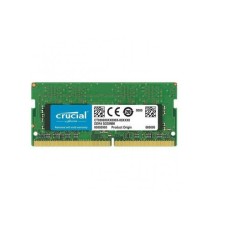
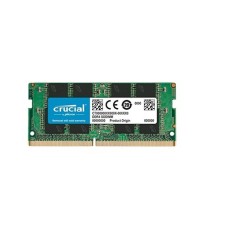
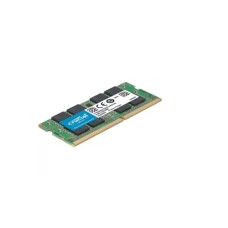
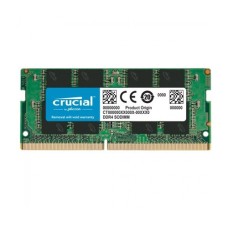
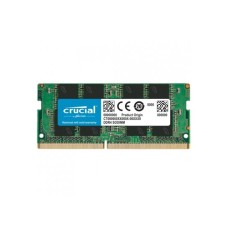
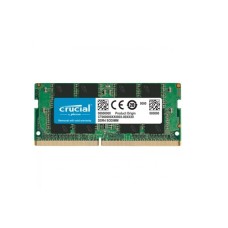
Crucial: Made by Micron, one of the world's biggest memory makers. Excellent compatibility with most laptop brands. The Crucial laptop RAM price gives great value.
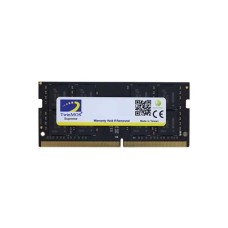
We also carry Samsung, SK Hynix, Adata, TeamGroup, Lexar and Transcend. Every module is official and authentic, with valid warranty.
Gaming Laptop RAM Upgrade Guide
Gaming laptops need fast, stable memory. Modern games use 12GB to 16GB of RAM alone. Add Discord and a browser, and you run out quickly.
Here is our gaming laptop RAM advice:
- 16GB: The minimum for smooth gaming today.
- 32GB: Best for gaming plus streaming or editing.
- Dual channel: Always use two sticks for the best FPS.
- Match speed: Use the speed your laptop supports, like DDR5 5600MT/s.
Buying faster RAM than your laptop supports won't help. The laptop will run it at its own max speed. So match the rated speed instead.
Popular gaming laptops from Asus ROG, MSI, Lenovo Legion, HP Omen and Acer Predator usually have two slots. Upgrading them is easy and very rewarding.
Looking for a new machine with more power? Check our RTX gaming laptop price in Bangladesh range.
Installation Tips and Mistakes to Avoid
Installing laptop RAM is simple. Most upgrades take about 10 to 15 minutes. You only need a small screwdriver.
Follow these steps:
- Shut down the laptop and unplug the charger.
- Remove the bottom panel screws carefully.
- Touch a metal surface to release static.
- Insert the stick at a 45-degree angle, then press it down until it clicks.
Some laptops have a battery connector inside. Unplug it before touching the RAM, if your model allows it.
Here are common mistakes we see:
- Buying desktop RAM instead of SODIMM.
- Ordering DDR5 for a DDR4 laptop.
- Forcing the stick in the wrong direction.
- Breaking plastic clips on the bottom panel.
Opening the panel may affect warranty on some models. Check your laptop's warranty terms first. Not confident? Our team can guide you step by step.
Desktop RAM vs Laptop RAM: Know the Difference
People often mix these up. They are not interchangeable.
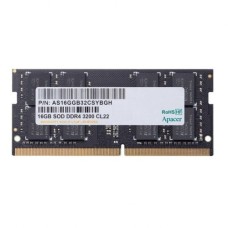
Laptop RAM (SODIMM): Short sticks, about 69mm long. They fit laptops, mini PCs and many all-in-one PCs.
Desktop RAM (DIMM): Long sticks, about 133mm long. They only fit desktop motherboards.
Upgrading a desktop instead? Browse our DDR5 desktop motherboard price in BD for full-size DIMM slots.
A desktop stick will never fit a laptop slot, so always order SODIMM for laptops. When in doubt, send us your model.
Can You Mix Laptop RAM Sticks?
Many users want to add a new stick beside the old one. This often works, but there are a few rules.
Mixed sticks run at the speed of the slowest one. Different chips may also cause crashes in rare cases.
Our advice for smooth results:
- Match DDR type first, since DDR4 and DDR5 can never mix.
- Match capacity for proper dual channel.
- Match speed where possible.
- Use the same brand if you can.
If your laptop acts up after mixing, replace both sticks with a matched kit. Kits are tested to work together and give the best stability.
Warranty and Authentic SODIMM Memory
Fake and refurbished laptop RAM exists in the market. It may show the wrong capacity or fail after a few weeks. Some even use recycled chips.
Every laptop RAM we sell is official and brand-new. Many brands offer long-term or lifetime warranty on memory.
What you get from us:
- Genuine modules in sealed retail packs.
- Correct speed and capacity as labeled.
- Valid brand warranty with claim support.
If a stick fails, we help with the warranty claim. You don't have to handle it alone.
How Much Laptop RAM Do You Need?
Here is a quick guide based on how people use their laptops:
- Browsing and online classes: 8GB.
- Office work and freelancing: 16GB.
- Programming and virtual machines: 16GB to 32GB.
- Gaming laptops: 16GB minimum, 32GB recommended.
- Video editing and 3D: 32GB to 64GB.
Choose a little more than you need today. Apps and websites keep using more memory every year. A small extra now keeps your laptop fast for longer.
Comparing new models instead? Browse all laptop brands in Bangladesh by RAM, processor and budget.
Where Can I Find Laptop RAM at the Best Price in BD?
At SpeedTech, we make laptop upgrades easy. You get the latest price, live in-stock status and honest advice in one place.
Why laptop users across Bangladesh trust us:
- 100 percent official and authentic SODIMM memory.
- Brand warranty with full claim support.
- Fast delivery across Dhaka and all of Bangladesh.
- Free compatibility checks for your laptop model.
Browse our full DDR4 and DDR5 laptop RAM range above. Compare capacity, speed and brand. Need help? Our team is one message away.
Frequently Asked Questions
What is the laptop RAM price in Bangladesh?
The laptop RAM price in Bangladesh depends on type, capacity, speed and brand. 8GB DDR4 SODIMM costs the least. 32GB DDR5 costs more. Check our page for the latest price.
Where can I buy laptop RAM in Bangladesh?
You can buy laptop RAM from SpeedTech. We sell official Kingston, Corsair, Crucial and Samsung SODIMM memory with warranty and deliver across Bangladesh.
What makes a 16GB RAM upgrade ideal for students?
16GB handles online classes, research and assignments without lag. Students can run Zoom, Chrome and Office together, and it stays useful for years.
Can I upgrade my laptop RAM?
Yes, if your laptop has a SODIMM slot. Some thin laptops use soldered RAM that can't be changed. Check your model or ask us.
Can I put DDR5 RAM in a DDR4 laptop?
No, DDR5 won't fit a DDR4 slot. The pin count and notch are different. You must buy the type your laptop supports.
Can I use desktop RAM in a laptop?
No, desktop RAM is a longer DIMM and won't fit. Laptops need SODIMM modules, which are shorter.
Does adding RAM improve laptop gaming?
Yes, especially with integrated graphics. Dual-channel RAM boosts FPS and reduces stutter. Gaming laptops also run smoother with 16GB or more.
Is it OK to mix laptop RAM brands?
It usually works, but it may cause instability. Match DDR type, capacity and speed. A matched kit gives the most reliable results.
How do I know my laptop RAM type?
Open Task Manager, then Performance, then Memory. Or use CPU-Z. It shows DDR type, speed and slots used.
Does more RAM drain laptop battery faster?
Only slightly. The effect is very small. DDR5 and LPDDR memory use low voltage, so battery life stays almost the same.