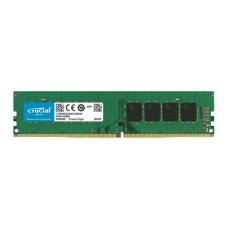
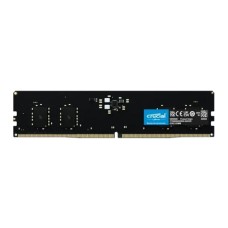
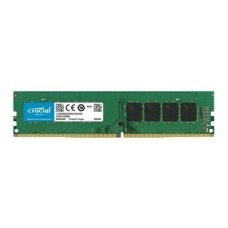
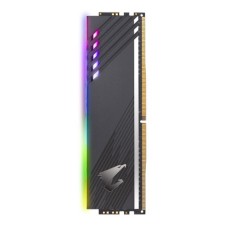
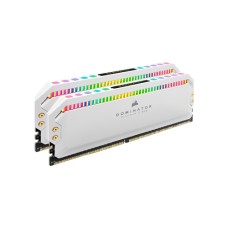
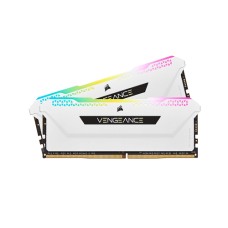
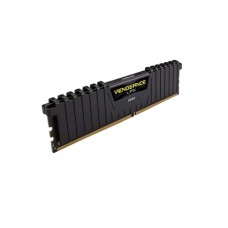
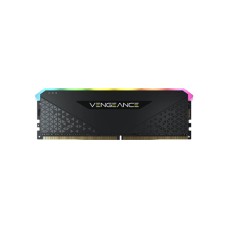
Fast Desktop RAM Price in Bangladesh for Smooth Multitasking and Gaming
Does your PC freeze with just a few Chrome tabs open? Do games stutter even with a good graphics card? You may simply need more RAM. Here at SpeedTech, we show the latest Desktop RAM Price in Bangladesh for DDR4 and DDR5. We help you pick the right memory for speed, budget and your motherboard.
Why More and Faster RAM Matters
RAM is your PC's short-term memory. It holds everything you're working on right now. Apps, browser tabs and game data all live here.
When RAM fills up, your PC starts using the storage drive instead. That's much slower. Things lag, freeze or crash.
More and faster RAM fixes this. Here is what you gain:
- Smooth multitasking with many apps open.
- Higher and steadier FPS in games.
- Faster video editing and rendering.
- Quicker app switching with no lag.
A RAM upgrade is one of the cheapest ways to boost your PC. We see customers add one stick and get a totally different experience.
Want even faster load times? Pair your RAM upgrade with an NVMe SSD for faster boot and app launches.
Desktop RAM Price in Bangladesh by Capacity
Capacity is how much data your RAM can hold at once. More capacity costs more. The right amount depends on how you use your PC.
We list every size with the latest price and live stock. Let's look at each option.
8GB RAM (Basic Use)
Need a PC for office work, browsing and study? 8GB can still handle it. It runs Windows 11, Microsoft Office and light web use.
Many buyers search for the 8GB DDR4 RAM price in BD for office PCs and budget upgrades. It's also a simple way to add a second stick to an old PC.
But 8GB is getting tight today. Modern browsers and Windows use a lot of memory. For anything more than basic work, go bigger.
16GB RAM (Gaming Sweet Spot)
16GB is the right size for most people. It handles gaming, streaming and multitasking with ease. It's our top pick for gamers and students.
Check the 16GB DDR4 RAM price if you're on an older Intel or AM4 platform. Building new? The 16GB DDR5 RAM price in Bangladesh has dropped a lot, making DDR5 a smart choice.
- Runs modern games smoothly.
- Handles Discord, Chrome and a game together.
- Great for light photo and video editing.
For the best speed, buy 16GB as a 2x8GB kit. We explain why in the dual-channel section below.
32GB and 64GB RAM (Creators and Pros)
Do you edit 4K video? Run virtual machines or big design files? Then 16GB won't be enough.
The 32GB DDR5 RAM price makes it the new standard for serious builds. It gives headroom for editing, streaming and heavy multitasking. Many gamers now choose 32GB for future-proofing too.
64GB suits 3D artists, developers and AI users. Large projects and datasets need that extra space.
DDR4 vs DDR5: Which Generation Fits Your PC?
This is the most important choice. DDR4 and DDR5 are not interchangeable. Your motherboard decides which one you can use.
DDR4 RAM: Works with older platforms like Intel 10th to 14th Gen (on DDR4 boards) and AMD AM4. The DDR4 3200MHz RAM price makes it great for budget builds and upgrades.
DDR5 RAM: Required for AMD AM5 and Intel Core Ultra (LGA1851). It's much faster, with speeds from 4800 to 8000 MT/s and beyond. A DDR5 6000MHz RAM kit is the sweet spot for most gamers.
Here is a quick comparison:
- Speed: DDR5 is much faster, with more bandwidth.
- Power: DDR5 uses lower voltage and has its own power chip.
- Price: DDR4 is cheaper, and DDR5 prices keep falling.
- Future: DDR5 is the standard for all new platforms.
The DDR4 vs DDR5 decision is simple. Upgrading an older PC? Stick with DDR4. Building new? Go DDR5.
Planning a full platform upgrade? Compare our desktop processor price in BD list before choosing your memory.
Speed and Latency Made Simple
RAM speed is shown in MHz or MT/s. Higher numbers mean more data moves each second. That helps games and heavy apps run faster.
Latency is shown as CL, like CL16 or CL30. It means delay. Lower CL is better.
Speed and latency work together. A fast kit with very high latency may not beat a slightly slower kit with low latency. So look at both.
Here are our simple picks:
- DDR4: 3200MHz CL16 or 3600MHz CL18 is the sweet spot.
- DDR5 for AMD Ryzen: 6000MT/s CL30 works best on AM5.
- DDR5 for Intel: 6000 to 6400MT/s works well on most boards.
Building on AM5? See our AMD Ryzen processor price in Bangladesh to match your DDR5 kit.
Going beyond these speeds brings small gains. It may also need manual tuning. For most users, the sweet spot is the best value.
Dual Channel RAM Kit: Why Two Sticks Beat One
Most motherboards support dual-channel memory. This means two sticks work together. They double the memory bandwidth.
A single 16GB stick runs in single channel. Two 8GB sticks run in dual channel. The capacity is the same, but dual channel is faster.
In games, dual channel can raise FPS by a noticeable amount. It matters even more on PCs using integrated graphics like Ryzen APUs.
That's why we suggest a dual channel RAM kit for new builds:
- 16GB as 2x8GB.
- 32GB as 2x16GB.
- 64GB as 2x32GB.
Always install the sticks in the right slots. Most boards use slots A2 and B2. Check your motherboard manual to be sure.
Buying a matched kit is safer than buying single sticks separately. Kits are tested to work together at their rated speed.
Top Desktop RAM Brands We Stock
Brand affects stability, speed and warranty. We only stock official memory from trusted makers.
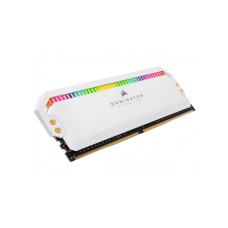
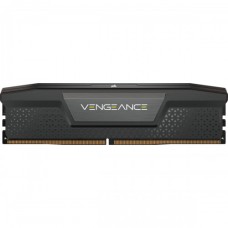
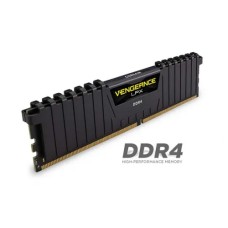
Corsair: The Vengeance series is famous for reliability and clean looks. Many builders check the Corsair RAM price in BD first. RGB models add style to any build.
G.Skill: Known for high-speed kits like Trident Z5 and Ripjaws. Overclockers and enthusiasts love them. The G.Skill RAM price covers budget to premium kits.
Kingston: Fury Beast and Fury Renegade offer great speed and stability. The Kingston Fury RAM price in BD makes it a popular choice for gamers.
We also carry TeamGroup T-Force, Adata XPG, Crucial, Lexar, Patriot and more. Every module is official and authentic, with valid warranty.
Best RAM for Gaming PC and RGB Builds
Games need fast memory to feed the CPU and GPU. Slow RAM can hold back even a strong graphics card. So pick your gaming memory with care.
The best RAM for gaming PC builds usually has:
- 16GB minimum, with 32GB for future-proofing.
- Dual-channel kit configuration.
- DDR5 6000MT/s CL30 for new builds.
- DDR4 3200 to 3600MHz for older platforms.
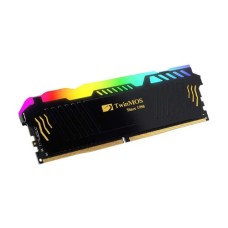
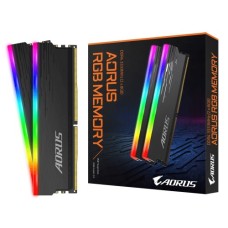
Want your build to look great too? RGB RAM price in BD is only slightly higher than plain modules. The lighting syncs with your motherboard software for a matching look.
Heat spreaders also matter. They keep modules cool during long gaming sessions. Just check the height. Tall RGB sticks can clash with big air coolers.
A good gaming RAM kit gives smooth frame times and fewer stutters. That makes gameplay feel far more responsive.
Motherboard Compatibility, XMP and EXPO
Your motherboard decides what RAM you can use. Check these points before you buy:
- Memory type: DDR4 or DDR5 only, never both.
- Maximum capacity: Many boards support 128GB or 192GB.
- Supported speed: Check the board's max rated speed.
- Number of slots: Most boards have 2 or 4 DIMM slots.
Your motherboard's QVL (Qualified Vendor List) shows tested memory kits. Choosing a QVL kit gives the best stability.
Need a board with more slots or DDR5 support? Browse our DDR5 supported motherboard price in BD range.
Here's something many people miss. New RAM often runs at a low default speed. You must turn on XMP or EXPO in the BIOS to reach the rated speed.
XMP: Intel's memory profile. It sets speed and timings with one click.
EXPO: AMD's profile for Ryzen AM5 systems. Many kits support both XMP and EXPO.
Running an Intel build? Check our Intel Core processor price in BD for XMP-ready platforms.
Not sure how to enable it? Our team can guide you step by step. It takes less than a minute.
Desktop RAM vs Laptop RAM: Don't Mix Them Up
Many buyers get confused here. Desktop and laptop RAM look different and are not interchangeable.
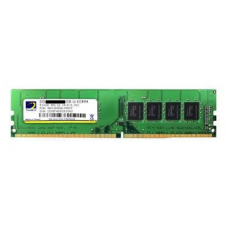
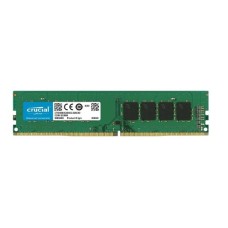
Desktop RAM (DIMM): Long sticks, about 133mm. They fit in desktop motherboard slots.
Laptop RAM (SODIMM): Short sticks, about 69mm. They only fit laptops and some mini PCs.
A DIMM will never fit a SODIMM slot, and the reverse is also true. So always double-check before ordering.
Upgrading a laptop instead? Browse our laptop RAM price in Bangladesh for SODIMM modules.
Here is a quick checklist:
- Desktop PC or tower: buy DIMM.
- Laptop or mini PC: buy SODIMM.
- All-in-one PC: often SODIMM, so check your model.
Still unsure? Send us your PC or motherboard model. We will tell you the exact memory type you need.
Can You Mix Old and New RAM Sticks?
Many people want to add a new stick to their existing RAM. It can work, but there are risks.
Mixed sticks may have different speeds, timings or chips. The system then runs everything at the slowest setting. Sometimes it won't boot at all.
Here is our advice:
- Never mix DDR4 and DDR5, since it's physically impossible.
- Match the same brand, speed and capacity if possible.
- Buy a full new kit for the best stability.
- Test with XMP or EXPO after installing.
If you must mix, try lower speed settings first. For DDR5 builds, a matched 2-stick kit is far more reliable than 4 mixed sticks.
Warranty and Authentic Memory
Fake and relabeled RAM exists in the market. It may show the wrong speed or fail under load. Some even use recycled chips.
Every memory kit we sell is official and brand-new. Many brands offer a lifetime or long-term warranty on RAM. That shows how much they trust their products.
What you get from us:
- Genuine modules in sealed retail packs.
- Valid brand warranty with claim support.
- Correct speed and timings as advertised.
If a stick fails, we help with the warranty claim. You don't have to handle it alone.
How Much RAM Do You Really Need?
Buying too little slows you down. Buying too much wastes money. Here is a simple guide by user type:
- Office and study: 8GB to 16GB.
- Gaming: 16GB minimum, 32GB recommended.
- Streaming and gaming together: 32GB.
- Video editing and design: 32GB to 64GB.
- 3D, AI and virtual machines: 64GB or more.
Plan for the next few years, not just today. Games and apps keep using more memory. A little extra headroom keeps your PC fast for longer.
Where to Buy Desktop RAM Online in BD?
At SpeedTech, we make buying memory simple. You get the latest price, live in-stock status and honest advice in one place.
Why builders across Bangladesh trust us:
- 100 percent official and authentic memory.
- Brand warranty with full claim support.
- Fast delivery across Dhaka and all of Bangladesh.
- Free compatibility checks with your motherboard.
Browse our full DDR4 and DDR5 range above. Compare capacity, speed and brand. Need help? Our team is one message away.
Frequently Asked Questions
What is the desktop RAM price in Bangladesh?
The desktop RAM price in Bangladesh depends on type, capacity, speed and brand. 8GB DDR4 costs the least. 32GB and 64GB DDR5 kits cost more. Check our page for the latest price.
Where can I buy desktop RAM in Bangladesh?
You can buy desktop RAM from SpeedTech. We sell official Corsair, G.Skill, Kingston and TeamGroup memory with warranty and deliver across Bangladesh.
What makes DDR5 RAM ideal for gamers?
DDR5 gives much higher bandwidth than DDR4. It feeds modern CPUs faster, raising FPS and smoothing frame times in CPU-heavy games.
Is 16GB RAM enough for gaming?
Yes, 16GB is enough for most games today. For streaming, heavy multitasking or future-proofing, we recommend 32GB.
DDR4 vs DDR5, which is better?
DDR5 is faster and the standard for new platforms. DDR4 is cheaper and fine for older PCs. Your motherboard decides which one you can use.
Can I use DDR5 RAM in a DDR4 slot?
No, DDR5 won't fit in a DDR4 slot. The notch position is different. You need a DDR5-compatible motherboard.
Is dual-channel RAM better than a single stick?
Yes, dual channel doubles memory bandwidth. Two 8GB sticks perform better than one 16GB stick, especially in games and integrated graphics.
Can I mix different RAM brands?
You can, but it may cause instability. Mixed sticks run at the slowest speed. For best results, buy a matched kit.
How do I enable XMP or EXPO?
Enter your BIOS at startup, find the memory settings, and turn on XMP or EXPO. Save and restart. Your RAM will then run at its rated speed.
Does RAM speed matter for AMD Ryzen?
Yes, Ryzen CPUs benefit a lot from fast RAM. For AM5, DDR5 6000MT/s CL30 is the sweet spot for performance and stability.