
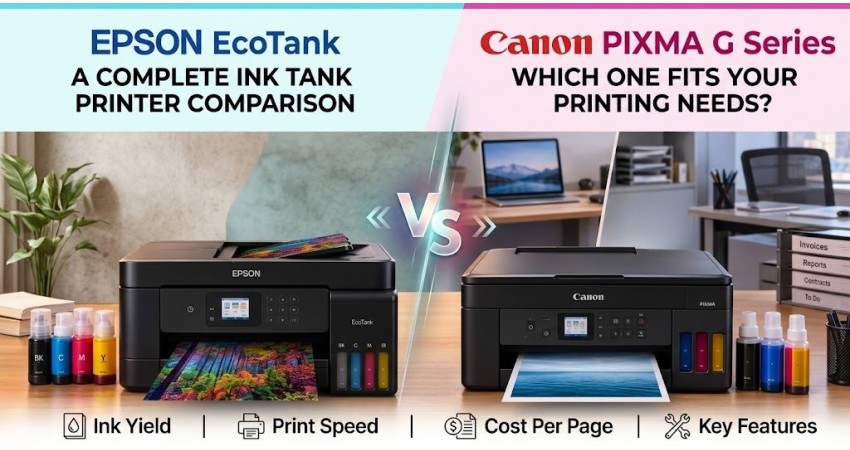
Epson EcoTank vs Canon PIXMA G Series: Which Ink Tank Printer Fits Home, Study, or Office?
Ink tank printers have become the go-to choice for anyone who prints regularly, since they cut ink costs dramatically compared to cartridge printers. Two of the most popular lineups in Bangladesh are Epson EcoTank and Canon PIXMA G Series. Both are reliable, but they're built for slightly different needs. This guide breaks down how they compare so you can pick the right one for your home, study desk, or office.
Quick Answer: Epson EcoTank or Canon PIXMA G?
In short, Epson EcoTank scales up better — it covers everything from simple home printing to office-grade workloads with automatic duplex, ADF, and networking. Canon PIXMA G Series keeps things simple and budget-friendly, ideal for everyday home and small-office printing without extra frills.
Epson EcoTank: Built for Growing Print Needs
Entry-level EcoTank models cover the basics — print, scan, copy, and Wi-Fi. Higher-end office models like the Epson EcoTank L6370 step things up with automatic duplex printing, a 30-sheet ADF, duplex scanning, a 250-sheet paper tray, and both LAN and Wi-Fi connectivity. This makes it a strong fit for startups, school offices, admission counters, or any shared desk that handles multiple print jobs throughout the day. The ADF and automatic duplexing especially cut down on manual work when several people rely on the same printer.
Canon PIXMA G Series: Straightforward Home Printing
The PIXMA G lineup keeps things simple. The G1010 is print-only, the G2010 adds scan and copy, and the G3010 brings in Wi-Fi and mobile printing. This range suits household documents, study materials, forms, and light shared use without needing extra features you won't use.
How the Two Lineups Really Differ
Range and Functions
Canon's G series mainly covers A4 and Legal document printing with print, scan, and copy functions, and a recommended monthly volume of up to around 1,500 pages on models like the G3010. Epson's EcoTank range goes further, offering home multifunction models alongside office, mono, and even A3 printers — so there's more room to grow into a higher-volume setup later.
Refill System and Ink Bottles
Ink codes matter more than the brand name. Common Epson models like the L3210, L3250, and L3350 use Epson 003 bottles, while the L6370 uses Epson 001. Canon's G1010, G2010, and G3010 use GI-790 bottles. Always match the exact bottle code for your model — brand and color alone aren't enough to guarantee compatibility.
Matching Your Need to the Right Model
| What You Need | Epson EcoTank | Canon PIXMA G | Key Difference |
|---|---|---|---|
| Print only, from one computer | Epson L130 | Canon G1010 | Both are USB, print-only models supporting up to Legal size; G1010 has a slightly faster listed print speed. |
| Print, scan, and copy (no Wi-Fi) | Epson L3210 | Canon G2010 | Both cover basic 3-in-1 use over USB — compare current pricing and ink cost to decide. |
| Print, scan, and copy over Wi-Fi | Epson L3350 | Canon G3010 | Both add wireless printing; L3350 has higher listed print speeds, G3010 supports Legal-size paper. |
| Batch scanning + automatic duplex printing | Epson L6370 | No direct match | L6370 adds a 30-sheet ADF, automatic duplex printing and scanning, LAN, Wi-Fi, and a 250-sheet tray. |
Which Brand Fits Your Use Case?
Students and Study Printing
For personal notes, assignments, and forms, a G1010 or G2010 is more than enough. Shared campus desks or library counters that need scan/copy access should move up to a Wi-Fi multifunction model, and anyone handling frequent document batches should consider an ADF-equipped office printer.
Home and Family Printing
The G2010 covers basic USB printing, scanning, and copying well. If you want to print from your phone or laptop wirelessly, go with the G3010 or the Epson L3350. Only pay extra for ADF or duplex features if your household actually uses them regularly.
Small Office and Regular Document Work
A small startup can comfortably run on a G3010 or L3350. For school offices, university desks, libraries, or small print counters, the L6370 is worth considering for its automatic two-sided printing, batch scanning, and LAN access. If your work is mostly black-and-white, it's also worth comparing monochrome laser printers.
What Matters More Than the Brand Name
Print-Only vs. Multifunction
A print-only printer costs less upfront but can't scan or copy — pick a multifunction model if those tasks come up regularly, like scanning IDs or forms.
Wi-Fi, Duplex, and ADF
Wi-Fi enables easy shared access across a home or office. Check whether duplex printing is automatic or manual, and whether an ADF is included. Most entry models (G1010, G2010, G3010, L3350) use manual duplex, while the L6370 adds automatic duplex and a 30-sheet ADF.
Paper Size Support
A4 covers daily printing needs, while Legal-size support matters for certain forms and contracts. If you specifically need A3 printing, make sure to check that the model explicitly supports it, since not all ink tank printers do.
Comparing Ink Cost and Refill Convenience
Ink Bottle Yield
Epson's 003 Black bottle is rated for up to roughly 4,500 pages, with each color bottle rated around 7,500 pages. Canon's GI-790 Black bottle is rated for up to about 6,000 pages, with color bottles rated around 7,000 pages. Actual yield will vary depending on print coverage and cleaning cycles.
Estimated Running Cost
Generally, Epson's 003 ink series tends to work out to a lower per-page cost than Canon's GI-790 series, though the exact difference depends on current bottle pricing. For an accurate comparison based on today's prices, check with our team or browse the ink bottle listings at speedtech.com.bd.
Ink Availability
At Speed Technology & Engineering Ltd, we stock individual black, cyan, magenta, and yellow ink bottles for popular Epson (003, 001) and Canon (GI-790) models. If you're considering a printer, it's worth confirming the exact ink code and checking current stock before you buy.
What to Check Before You Choose
Monthly Print Volume
Track roughly how many black and color pages you print in a normal month. Canon officially recommends a 150–1,500 page monthly range for the G3010. If your usage regularly goes beyond that, it's worth comparing office-grade or monochrome laser printers instead of relying purely on bottle yield.
Required Functions and Connectivity
List out exactly what you need — print, scan, copy, duplex, ADF, LAN, Wi-Fi, or A3 — so you don't end up paying for features you won't use, or missing one you actually need.
Consumable Availability
Before you buy, confirm that the correct black, cyan, magenta, and yellow bottle codes for your chosen printer are in stock wherever you plan to buy from.
Final Word
The right choice comes down to how you actually print. Canon PIXMA G Series offers reliable A4/Legal printing at a lower entry cost with the essentials covered. Epson EcoTank fits workflows that need automatic duplexing, batch scanning, larger paper capacity, LAN connectivity, or A3 support down the line.
At Speed Technology & Engineering Ltd, we carry both Epson EcoTank and Canon PIXMA G Series printers along with genuine ink bottles for every model. Reach out to our team or visit speedtech.com.bd to find the right printer — and current pricing — for your needs.
Speed Technology & Engineering Ltd — Quality Innovation Always

There are no comments for this Article.