
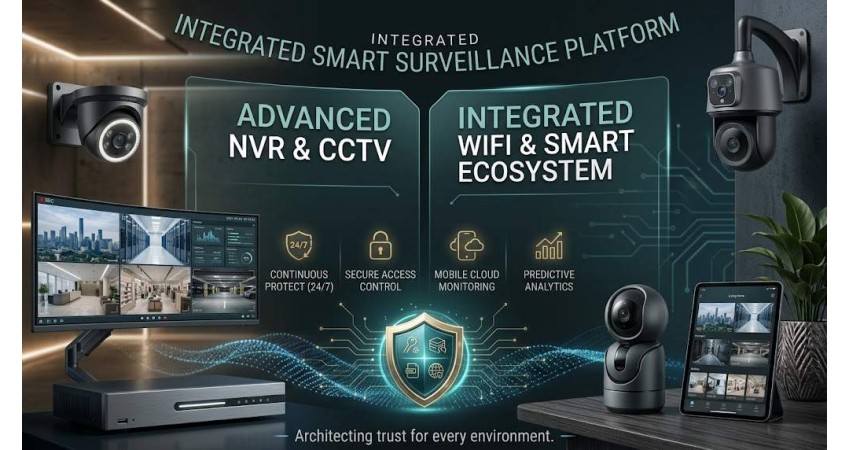
CCTV vs. WiFi Camera: Which Is Better for Home, Office, or Business?
Choosing a security camera often comes down to one basic question: wired or wireless? CCTV cameras run on a wired connection, while WiFi cameras connect over your network. That single difference shapes everything else — installation, cost, reliability, and how you access your footage. This guide breaks down how each system works and helps you decide which one fits your home, office, or business.
How CCTV Cameras Work
CCTV cameras connect to a recorder (DVR or NVR) through a coaxial or network cable, sending a steady video signal back to your storage or monitor. Power typically comes through a wired connection as well, which keeps the feed consistent. A full CCTV setup usually needs a recorder along with mounts, connectors, and cabling.
Pros: Stable signal with no dropouts, no dependency on WiFi bandwidth, consistent wired power.
Cons: Installation takes more time and cabling, less flexible once mounted.
How WiFi Cameras Work
WiFi cameras connect wirelessly to your router and send footage over your home or office network. They typically support motion alerts, cloud storage, and remote viewing through an app. They run on standard power outlets, though pairing one with a mini DC UPS can keep them online during power cuts. One thing to keep in mind: if the internet connection drops, the live feed stops until it reconnects.
Pros: No recorder required, no wiring needed, easy to place anywhere within WiFi range.
Cons: Heavily dependent on internet connection, weak WiFi can affect performance.
CCTV vs. WiFi Camera: Comparison Table
| Factor | CCTV Camera | WiFi Camera |
|---|---|---|
| Installation | Needs cable runs, more setup time | Quick to install |
| Power Source | Direct wired power | Local outlet; may stop during load shedding without a UPS |
| Internet Need | Works without internet | Loses remote access if network goes down |
| Video Stability | Steady, wired feed | Can drop in weak signal areas |
| Remote Access | Often needs extra setup | Built in via app from day one |
| Storage | DVR/NVR local storage | SD card, cloud, or both |
| Best Fit | Fixed, long-term setups | Homes and small spaces needing quick setup |
Best Security Camera for Home Usage
For most homes, WiFi cameras are the practical choice. They install quickly, cover entryways without drilling or running cables, and give parents and small shop owners easy app-based monitoring with motion alerts — all at a low setup cost.
Best Security Camera for Professional Usage
Offices and larger businesses generally need more than a home setup can offer — heavier traffic, longer cable runs, and non-stop recording. CCTV cameras connected to a DVR give warehouses, schools, and restaurants a feed that keeps running without depending on network stability. WiFi cameras still make sense for areas that need remote access or frequent repositioning, and combining both systems is a common approach for larger spaces.
Choosing the Right Camera Resolution
For basic home monitoring — covering a front door or driveway — a 2MP camera is usually enough and keeps costs down. Small businesses monitoring a retail floor or parking lot should consider 5MP for better detail without excessive storage demands. For offices that need to identify faces or read license plates across larger areas, 8MP cameras are the better choice. Keep in mind that higher resolution also means higher storage and bandwidth needs.
Upgrading Your CCTV Setup Without Replacing It
If your existing CCTV system works well but you want smarter features, PoE IP cameras are a natural upgrade — they get power and connect to an NVR over a single cable, cutting down on wiring. The key piece here is an XVR (Hybrid Video Recorder), which supports both older analog CCTV cameras and newer IP cameras at the same time. Unlike a DVR (analog only, no remote access) or an NVR (IP cameras only), an XVR bridges both, so you can keep your current cameras while adding IP cameras when you're ready — a cost-effective step up for renters and small offices.
Key Factors to Weigh Before You Choose
Connectivity & Installation
WiFi cameras connect through your existing router with no drilling or cable runs, making them faster and cheaper to install. CCTV cameras need a direct wired connection to a DVR/NVR, which takes more planning and labor — but avoids any dependence on internet access.
Video Quality
CCTV cameras tend to hold a steadier edge since they don't compete for network bandwidth, especially during peak hours. Both types support HD and 4K resolution, and WiFi cameras still deliver strong detail for everyday home use.
Storage
CCTV footage is stored locally on a hard disk or SSD, giving you full control with no recurring fees. WiFi cameras typically record to the cloud or a memory card without needing a separate recorder. For continuous surveillance recording, a surveillance-grade HDD built for heavy write workloads (from brands like Western Digital, Toshiba, or Seagate) is worth the investment.
Remote Access & Scalability
Both systems support remote viewing from a phone, tablet, or computer, though WiFi cameras connect more directly through an app. WiFi systems also scale more easily — each new camera just joins the network, while a wired system needs new cable runs back to the recorder for every addition.
Maintenance & Long-Term Reliability
Wired systems mainly need occasional cable checks, while wireless systems rely more on firmware updates and a stable signal. In areas with weak internet or frequent power outages, a wired CCTV setup with backup power tends to hold up better over time.
Upfront Cost
Wired installations usually cost more from day one due to labor, while WiFi setups tend to have lower entry pricing — making them a practical starting point for first-time buyers on a modest budget.
Final Word: Which One Should You Choose?
There's no single winner between CCTV and WiFi cameras — the right choice depends on your space, budget, and security priorities. If you need stable, long-term recording without relying on the internet, CCTV is the safer bet. If you want a quick, affordable setup with smart app-based features, a WiFi camera fits better. For larger properties, combining both is often the smartest move.
At Speed Technology & Engineering Ltd, we supply CCTV, IP, PTZ, and WiFi cameras along with all the accessories you need for a complete setup. Reach out to our team or visit speedtech.com.bd to get the right recommendation for your space.
Speed Technology & Engineering Ltd — Quality Innovation Always

There are no comments for this Article.