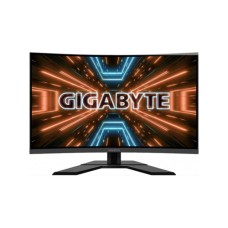
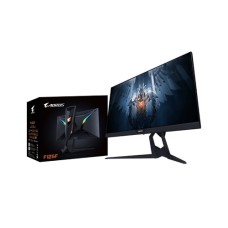
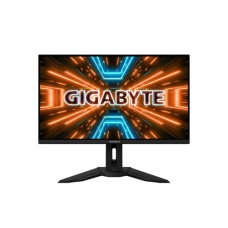
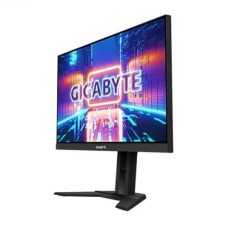
Powerful Gigabyte Monitor Price in Bangladesh for Fast Gaming and Smart Work
Want high refresh gaming without paying a premium? Gigabyte monitors give strong speed and smart features at fair prices. We list the latest Gigabyte monitor price in Bangladesh with official warranty. At SpeedTech, you get Gigabyte G series, M series and AORUS monitors for every budget.
Why Choose a Gigabyte Monitor?
Gigabyte is a well-known name in PC hardware. Gamers trust its motherboards and graphics cards. Its monitors bring the same focus on performance.
Most Gigabyte monitors use fast SS IPS panels. They offer 1ms response times and high refresh rates, even at mid-range prices.
Gigabyte also adds smart extras. Many M series models include a built-in KVM switch. One keyboard and mouse can control two computers.
For premium gaming, the AORUS line offers QD-OLED panels. You get perfect blacks, rich colour and near-instant response.
Gigabyte Monitor Price in Bangladesh by Series
Gigabyte groups its monitors into a few clear lines. Each one fits a different user and budget.
| Series | Focus | Best For |
|---|
| GS Series | Budget high refresh gaming | Students and entry gamers |
| G Series | Fast SS IPS, flat and curved | Mainstream gamers |
| M Series | KVM switch, USB-C, 4K options | Multi-PC users and creators |
| AORUS | Premium QD-OLED and tactical features | Enthusiast and esports gamers |
The GS and G series give the best value. M series adds productivity features, while AORUS sits at the top.
Gigabyte Monitor Price by Size and Resolution
Pick your size by desk space, use and GPU power.
| Size and Resolution | Best For |
|---|
| 23.8 – 24 inch Full HD 180Hz | Esports and budget gaming |
| 27 inch Full HD 165Hz – 180Hz | Casual gaming and home use |
| 27 inch QHD (1440p) | Sharp AAA gaming and multitasking |
| 28 – 32 inch 4K | Creators, console and 4K gaming |
| 27 – 32 inch QD-OLED | Premium gaming and HDR |
A 24 inch Full HD Gigabyte monitor is great for esports. A 27 inch QHD G or M series model is the sweet spot for most gamers.
Key Features of Gigabyte Monitors
Gigabyte adds smart, gamer-focused features at every price level. These are the ones that matter most.
SS IPS Panels and Fast Response
Most Gigabyte gaming monitors use SS IPS, short for Super Speed IPS. It combines IPS colour quality with very fast pixel response.
Normal IPS panels give accurate colours but can be slower. SS IPS keeps the colours and reaches 1ms response time. Fast scenes stay sharp with less blur and ghosting.
| Panel Type | Strength | Best For |
|---|
| SS IPS | Accurate colour with 1ms speed | Gaming and daily use |
| VA (curved models) | Deep contrast, rich blacks | Movies and story games |
| QD-OLED (AORUS) | Perfect blacks, near-instant response | Premium gaming and HDR |
Curved VA models are great for movie nights. Connect an Android TV box for streaming on a monitor and enjoy Netflix and YouTube without a PC.
Built-in KVM Switch
Many Gigabyte M series monitors include a built-in KVM switch. KVM stands for keyboard, video and mouse.
It lets you control two computers with one keyboard and mouse. For example, you can switch between a work laptop and a gaming PC with one button. No extra KVM box is needed.
A KVM monitor pairs perfectly with a USB-C notebook. Check our latest laptop price in Bangladesh for models with USB-C display support.
This feature is very useful for freelancers, developers and home office users with two devices.
Tactical Gaming Features
Gigabyte adds smart tools that give gamers a small edge.
- Black Equalizer brightens dark areas so enemies are easier to spot
- Aim Stabilizer reduces motion blur during fast aiming
- Game Assist adds an on-screen crosshair, timer and counter
- Dashboard shows CPU and GPU temperature on screen
You can control all these features with OSD Sidekick software. It lets you change monitor settings with your mouse instead of the buttons.
Ports and Connectivity
Most Gigabyte monitors include HDMI and DisplayPort. Many M series and AORUS models add USB-C with power delivery. Some models also offer HDMI 2.1 for 4K at 120Hz on PS5 and Xbox.
Gaming models often include a headphone jack and USB hub ports. That keeps your desk tidy and your accessories close.
AORUS QD-OLED Monitors and OLED Care
AORUS is Gigabyte's premium gaming brand. AORUS QD-OLED monitors are among the best gaming displays available.
QD-OLED panels give perfect blacks and very rich colours. Response time drops to about 0.03ms. Refresh rates reach 240Hz to 360Hz on top models.
AORUS models also support HDR True Black 400 for strong HDR performance. Dark game scenes and movies look deep and detailed.
OLED panels need care to avoid burn-in. AORUS includes OLED Care features like pixel shift and panel refresh. Gigabyte also offers burn-in coverage on many AORUS OLED models.
We suggest simple habits for OLED owners. Use a dark wallpaper, hide the taskbar and let the monitor run its care cycle.
Best Gigabyte Monitor by Use Case
Every buyer has different needs. Pick the Gigabyte series that fits your daily routine.
Students and Home Users
Students need a fast, affordable screen. The Gigabyte GS series offers Full HD panels with 165Hz to 180Hz refresh rates. A 24 inch model works well for classes, movies and casual gaming.
Most gaming monitors have no speakers. A portable Bluetooth speaker for home desk setups gives clear sound for music, videos and games.
Office and Multi-PC Users
Office users who work on two devices should pick the M series. The built-in KVM switch lets one keyboard and mouse control both computers. USB-C also connects your laptop with one cable.
Need to join online meetings? Add a Full HD webcam for Zoom and Teams meetings on top of your Gigabyte screen.
Esports and Competitive Gamers
Esports players need speed above all. A 24 inch G series monitor with 180Hz or higher works well. Tactical features like Black Equalizer and Aim Stabilizer give a small but useful edge.
Building a full setup from scratch? A ready gaming desktop PC in Bangladesh pairs perfectly with a high refresh Gigabyte monitor.
Creators and Premium Gamers
Creators should choose an M series 4K model for sharp detail. Premium gamers will love AORUS QD-OLED monitors for perfect blacks and blazing speed.
Complete your creative desk with our studio equipment for streamers and content creators, including lights, mics and stands.
Matching Your Gigabyte Monitor With Your GPU
A fast monitor needs a GPU that can keep up. If your graphics card can't reach high frame rates, you won't feel the full refresh rate.
| Resolution and Refresh Rate | Suggested GPU Level |
|---|
| 1080p at 165Hz – 180Hz | RTX 3050, RTX 4060, RX 6600 |
| 1440p at 165Hz – 180Hz | RTX 4060 Ti, RTX 5060 Ti, RX 9060 XT |
| 1440p at 240Hz+ / QD-OLED | RTX 4070 Super, RTX 5070, RX 9070 |
| 4K at 144Hz+ | RTX 4080, RTX 5080 and above |
Esports titles reach high FPS on mid-range cards. AAA games need much more power. Choose a monitor that matches your current GPU and your next upgrade.
Not reaching full FPS on your new screen? Compare the latest graphics card price in Bangladesh and find the right upgrade.
Warranty, Dead Pixels and Power Tips
Always buy a Gigabyte monitor with official warranty. It covers panel faults and repairs through authorised service. Grey imports may have no local support.
Check the screen for dead or stuck pixels right after unboxing. Use a full-screen white, black and red image. Report any issue to the seller quickly.
Voltage swings and load shedding can stress electronics. We suggest using a good UPS or surge protector for your monitor and PC.
Keep the monitor away from direct sunlight and heavy dust. Clean the screen gently with a soft, dry microfiber cloth.
What is the Best Store to Buy Gigabyte Monitor in BD?
SpeedTech is a trusted store to buy a Gigabyte monitor in Bangladesh. We stock official Gigabyte GS, G, M and AORUS models at fair prices.
- 100% official Gigabyte monitors with warranty
- 0% EMI on selected bank cards
- Fast home delivery across Bangladesh
- Expert help to match the monitor to your GPU
Order online or visit our showroom today. A Gigabyte monitor gives you serious speed for your money.
Frequently Asked Questions
What is the Gigabyte Monitor price in Bangladesh?
Gigabyte monitor prices in Bangladesh start from budget GS series gaming models. Prices rise for M series 4K and AORUS QD-OLED monitors, depending on size and features.
Where can I buy a Gigabyte Monitor in Bangladesh with official warranty?
You can buy one from SpeedTech. We sell official Gigabyte monitors with warranty, EMI options and fast delivery across Bangladesh.
Is Gigabyte a good monitor brand?
Yes. Gigabyte monitors offer fast SS IPS panels, high refresh rates and useful extras like KVM. They give strong value for gamers and multi-PC users.
Which Gigabyte monitor is best for gaming?
For budget gaming, pick a 24 inch G or GS series model with 180Hz. For premium gaming, choose an AORUS QD-OLED model.
What makes a Gigabyte KVM monitor ideal for multi-PC users?
The built-in KVM lets one keyboard and mouse control two computers. You switch devices with one button, without extra hardware.
Gigabyte vs MSI monitor, which is better?
Both offer strong gaming value. Gigabyte stands out with built-in KVM and tactical features. MSI offers a wider range of series. Choose by specs and budget.
What is SS IPS?
SS IPS means Super Speed IPS. It combines accurate IPS colours with fast 1ms response for smooth gaming.
Is AORUS QD-OLED worth it?
Yes, for premium gaming and HDR. It offers perfect blacks, near-instant response and high refresh rates. OLED Care helps protect the panel.
Does a Gigabyte monitor work with PS5?
Yes. Any Gigabyte monitor with HDMI works with PS5. For 4K at 120Hz, choose a model with HDMI 2.1.
What is Gigabyte OSD Sidekick?
It is free software that lets you control monitor settings with your mouse. You can adjust brightness, gaming modes and features from your PC.

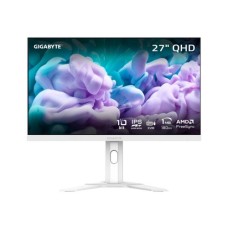
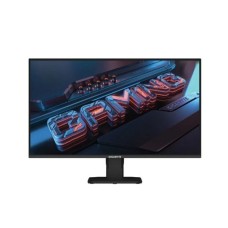
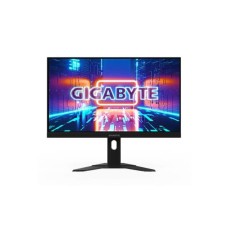
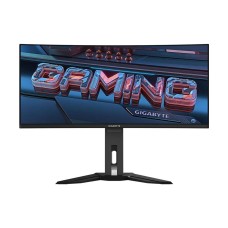
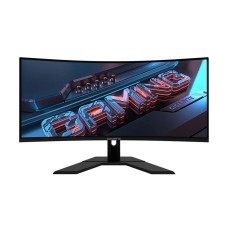
-228x228.jpg "Gigabyte G27FCA 27 Inch FHD 165Hz Curved Gaming Monitor")