Reliable HDD Price in Bangladesh for Massive Storage and Safe Backup
Running out of space for photos, games or CCTV footage? An SSD alone gets expensive fast. A hard disk gives you huge storage for far less money. Here at SpeedTech, we list the latest HDD Price in Bangladesh for every need. We help you pick the right drive for your PC, CCTV system or NAS.
Why HDDs Still Matter Today
SSDs are fast, but they cost more per terabyte. When you need lots of space, a hard disk drive is still the smart choice.
HDDs store data on spinning magnetic platters. They're slower than SSDs, but they give much more capacity for the money. That makes them perfect for bulk storage.
Here is where HDDs shine:
- Storing photos, videos and documents.
- Keeping large game libraries.
- Recording CCTV footage 24/7.
- Backing up important files.
We see many customers use both. An SSD runs Windows and apps. An HDD stores everything else. It's the best mix of speed and space.
Building a new system around your storage? Explore our PC components for custom desktop build in one place.
HDD Price in Bangladesh by Capacity
Capacity is the first thing to choose. Bigger drives cost more, but the price per TB drops as size goes up.
We list every size with the latest price and live stock status. Let's match capacity to your needs.
1TB and 2TB HDD (Everyday Storage)
Need extra room for files, movies and office documents? A 1TB or 2TB drive is a simple start. It works great as a second drive for home and office PCs.
Many buyers check the 1TB HDD price in BD for basic storage upgrades. It's also popular for small CCTV setups with 2 to 4 cameras.
The 2TB HDD price gives better value per terabyte. It's our top pick for students and home users who store lots of media.
- Great for photos, music and documents.
- Fits most desktop PCs easily.
- Affordable backup for important files.
4TB and 6TB HDD (Media and Games)
Do you keep a big game library? Store 4K videos or raw photos? Then you need more room.
The 4TB hard disk price in Bangladesh has become very affordable. It's ideal for gamers, creators and 8-camera CCTV systems.
Big game libraries need strong graphics too. Check our gaming graphics card price in BD for smooth play.
A 6TB drive gives even more space for long-term archives. Content creators and small offices love this range. It stores years of projects without worry.
Editing all that 4K footage? Pair your storage with a 4K monitor for video editing from our range.
8TB and Above (NAS and Heavy Archives)
Running a NAS or a large CCTV system? Storing huge video archives? Go bigger.
The 8TB HDD price makes it a smart choice for serious storage. Drives from 12TB to 20TB suit businesses, data centers and pro users.
Building your own home server? Choose a multi-core processor for home server to handle many drives.
Large drives often use helium inside. This keeps them cooler and quieter, and it lets them store more data on more platters.
Pick the Right HDD Type for Your Use
Not all hard drives are the same. Brands make different lines for different jobs. Picking the right type protects your data and extends drive life.
Desktop HDD
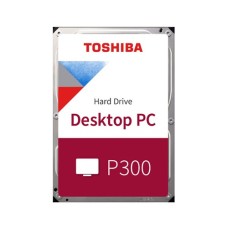
Desktop drives are built for everyday PC use. They handle normal reading and writing for about 8 hours a day.
The WD Blue HDD price in BD makes it a popular pick for home PCs. The Seagate BarraCuda price in BD is another favorite, with good speed and value.
These drives are great for storage, backups and game libraries. But they're not made for 24/7 recording.
Surveillance HDD for CCTV
CCTV systems record nonstop, day and night. A regular desktop drive can fail early under that load. That's why surveillance drives exist.
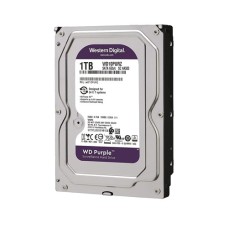
A WD Purple surveillance HDD is built for 24/7 recording. It supports many cameras writing at once. The Seagate SkyHawk price also covers strong CCTV-ready drives.
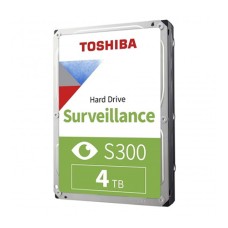
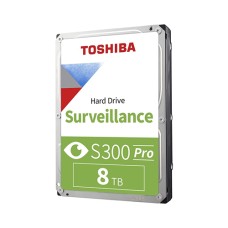
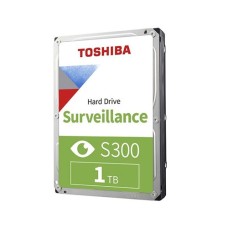
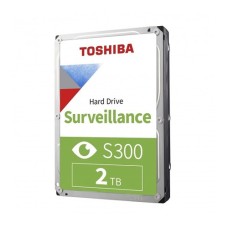
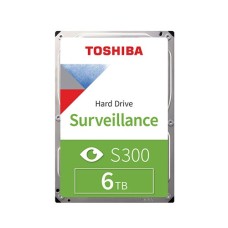
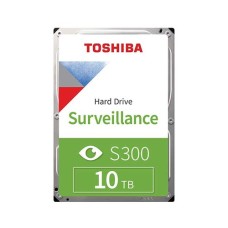
Every HDD for CCTV use should have firmware tuned for constant writing. This reduces dropped frames and extends drive life. Toshiba S300 is another trusted option.
NAS and Enterprise HDD
A NAS is a network storage box for homes and offices. It runs 24/7 and often uses several drives together in RAID. That needs special drives.
A NAS hard drive handles vibration from other drives nearby. It also works well in RAID setups. WD Red Plus, WD Red Pro, Seagate IronWolf and Toshiba N300 are top choices.
Enterprise drives go further still. WD Gold, Seagate Exos and Toshiba MG series handle heavy workloads in servers. They offer the highest reliability and the longest warranties.
RPM, Cache and CMR vs SMR Explained
Specs can be confusing. Let's make them simple.
RPM (speed): This shows how fast the platters spin.
- 5400 RPM: Quieter and cooler. Good for storage and backups.
- 7200 RPM: Faster reading and writing. Better for games and active files.
A 7200 RPM HDD loads games and large files quicker. But it's a bit louder and uses a little more power.
Cache: This is a small memory buffer on the drive. More cache, like 256MB, helps speed up frequent tasks.
CMR vs SMR: This is how data is written on the disk.
- CMR (Conventional): Steady write speed. Best for NAS, RAID and heavy use.
- SMR (Shingled): Stores more data but slows down during long writes. Fine for light storage and backups.
For NAS and CCTV, we always suggest CMR drives. Not sure which type a drive uses? Ask us, and we'll check it for you.
Top HDD Brands We Stock
Only a few companies make hard drives today. All three are trusted names. We stock official drives from each.
Western Digital (WD): Known for its color-coded lines. Blue for desktops, Purple for CCTV, Red for NAS and Gold for enterprise. WD drives are popular for reliability.
Seagate: Offers BarraCuda for PCs, SkyHawk for CCTV, IronWolf for NAS and Exos for servers. Seagate gives great capacity for the money.
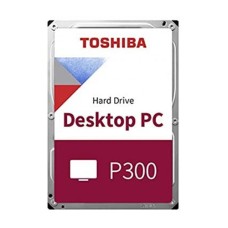
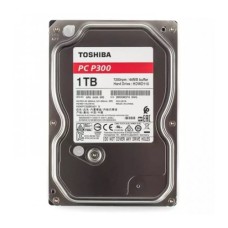
Toshiba: Makes P300 for desktops, S300 for surveillance and N300 for NAS. Many buyers check the Toshiba HDD price in BD for solid value and quiet operation.
Every drive we sell is official and brand-new. Each comes with valid brand warranty and local claim support.
HDD vs SSD: Use Both the Smart Way
This is a question we hear every day. Both drives have clear strengths. The HDD vs SSD answer depends on how you use them.
Speed: SSDs are much faster. They boot Windows in seconds and load apps quickly.
Capacity per taka: HDDs win here. You get several times more storage for the same money.
Durability: SSDs have no moving parts, so they handle bumps better. HDDs are sensitive to drops while running.
Best use: SSD for the operating system and apps. HDD for storage, media and backups.
Our advice is simple. Use an SSD as your boot drive and an HDD for everything else. This combo gives speed and huge space at a fair price.
Want your whole PC to feel snappier? Add a 16GB DDR5 desktop RAM upgrade for smooth multitasking.
Compatibility and Installation
Most internal HDDs are easy to install. But check a few things before buying.
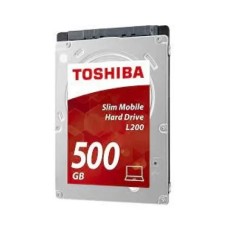
- Form factor: Desktop drives are 3.5 inch. Laptop drives are 2.5 inch.
- Interface: Most drives use SATA III. Your motherboard needs a free SATA port.
- Drive bay: Your case needs a free 3.5-inch bay.
- Power: Your PSU needs a free SATA power cable.
Running out of SATA ports? Browse our motherboard with multiple SATA ports for multi-drive builds.
Need space for more drives? Check our PC casing with 3.5 inch drive bays for storage-heavy setups.
For DVR and NVR systems, check the maximum supported capacity. Some older units only support up to 4TB or 6TB per drive.
Installation is simple. Mount the drive in the bay and connect the SATA data and power cables. Then open Disk Management in Windows to set up the new drive.
Need help? Our team can guide you step by step. It takes just a few minutes.
Power Cuts, Heat and HDD Safety in Bangladesh
Hard drives have moving parts. Sudden power cuts can hurt them. If power drops while the drive writes data, files can get corrupted.
Load shedding is common here. So HDD safety needs extra care.
Here is what we suggest:
- Use a UPS: It keeps the drive running during short power cuts, which gives time for a safe shutdown.
- Add a surge protector: It blocks sudden voltage spikes.
- Keep good airflow: Heat shortens drive life, so place drives near front intake fans.
- Avoid moving the PC while it's on: Bumps can damage spinning platters.
CCTV systems need this even more. A DVR or NVR with a UPS keeps recording through short outages. It also protects the surveillance drive from sudden shutdowns.
Hot rooms raise drive temperature too. Try to keep HDDs below 45°C. Clean dust from the case often, especially in Dhaka's dusty air.
A cooler system helps every part last longer. Try a silent CPU cooler for home PC to lower overall case heat.
Backup Tips to Protect Your Data
Every drive can fail one day. HDDs, SSDs and even new drives aren't immune. A good backup plan keeps your data safe.
We follow the simple 3-2-1 rule:
- Keep 3 copies of important data.
- Store them on 2 different types of storage.
- Keep 1 copy in another place or in the cloud.
An internal hard disk price is low enough to add a dedicated backup drive. Use free backup tools in Windows to copy files automatically.
For businesses, a NAS with RAID adds extra safety. If one drive fails, your data stays safe on the others.
Watch for warning signs too. Clicking noises, slow file access and frequent errors can mean a drive is failing. Back up right away if you notice them.
How Long Does an HDD Last?
A good hard drive usually lasts 3 to 5 years with normal use. Many drives last much longer with proper care.
Life span depends on:
- Drive type: NAS and enterprise drives last longer under heavy use.
- Workload: 24/7 use wears drives faster than light use.
- Heat and power: Cool, stable conditions extend life.
Check drive health with free tools like CrystalDiskInfo. It shows temperature, errors and overall health status. Replace a drive before it fails, not after.
Warranty and Authentic Drives
Refurbished and relabeled hard drives exist in the market. Some are sold as new but have used hours on them. They can fail early and cause data loss.
Every HDD we sell is official and brand-new. It comes sealed with a valid brand warranty, often 2 to 5 years.
What you get from us:
- Genuine drives in sealed packaging.
- Correct capacity and model as labeled.
- Brand warranty with full claim support.
If a drive fails under warranty, we help with the claim. You don't have to deal with the service process alone.
Where to Get Genuine HDD in Bangladesh?
At SpeedTech, we make buying storage simple. You get the latest price, live in-stock status and honest advice in one place.
Why buyers across Bangladesh trust us:
- 100 percent official and authentic hard drives.
- Brand warranty with full claim support.
- Fast, safe delivery across Dhaka and all of Bangladesh.
- Free advice for PC, CCTV and NAS storage needs.
Browse our full HDD range above. Compare capacity, drive type and brand. Need help? Our team is one message away.
Frequently Asked Questions
What is the HDD price in Bangladesh?
The HDD price in Bangladesh depends on capacity, drive type and brand. 1TB desktop drives cost the least. 8TB and larger NAS drives cost more. Check our page for the latest price.
Where can I buy an HDD in Bangladesh?
You can buy an HDD from SpeedTech. We sell official WD, Seagate and Toshiba hard drives with warranty and deliver across Bangladesh.
What makes a surveillance HDD ideal for CCTV?
A surveillance HDD is built for 24/7 recording. It supports many cameras at once, reduces dropped frames and lasts longer than desktop drives in DVRs and NVRs.
WD Purple vs Seagate SkyHawk, which is better?
Both are excellent for CCTV. WD Purple is known for reliability. SkyHawk offers great value and strong capacity options. Either works well for DVRs and NVRs.
Is 7200 RPM better than 5400 RPM?
7200 RPM is faster for games and active files. 5400 RPM is quieter and cooler, which is great for storage and backups.
HDD vs SSD, which is better?
SSD is better for speed and boot drives. HDD is better for large storage at low cost. The best setup uses both together.
Can I use a desktop HDD in a DVR?
It works, but it's not ideal. Desktop drives aren't built for 24/7 recording. A surveillance drive lasts longer and records more reliably.
What is CMR vs SMR in hard drives?
CMR gives steady write speed for NAS and heavy use. SMR stores more data but slows during long writes. Choose CMR for NAS and RAID.
How long does a hard disk last?
A hard disk usually lasts 3 to 5 years. Good cooling, stable power and light workloads can extend its life.
Do I need a UPS for my HDD?
Yes, a UPS protects your HDD during power cuts. Sudden shutdowns can corrupt data and damage the drive, especially during load shedding.