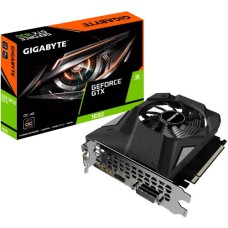
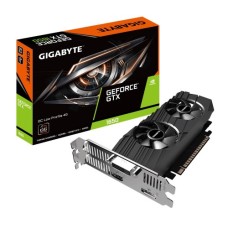
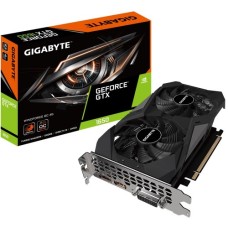
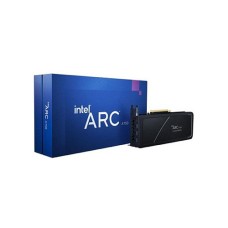
Powerful Graphics Card Price in Bangladesh for Smooth High-FPS Gaming
Are your games stuttering, even on low settings? Is video rendering taking forever? Your graphics card is the fix. Here at SpeedTech, we list the latest Graphics Card Price in Bangladesh for every budget. We help you pick the right GPU for gaming, editing and AI work.
Why the Right Graphics Card Changes Your PC
The graphics card draws every frame you see. In games, it decides your FPS. In editing, it speeds up rendering and exports.
A weak GPU holds your whole PC back. Even a strong processor can't fix low frame rates. That's why gamers upgrade the GPU first.
Here is what a good graphics card gives you:
- Higher FPS and smoother gameplay.
- Better graphics with ray tracing and high textures.
- Faster video exports and 3D renders.
- Support for high refresh rate and 4K monitors.
We see this every week. Customers upgrade the GPU and say their PC feels brand-new. It's the biggest single boost for gaming performance.
Planning a full upgrade? Explore our PC components for gaming build to match every part.
Graphics Card Price in Bangladesh by Performance Tier
GPU prices vary a lot by power. More performance costs more. But you don't always need the top model.
The trick is matching the card to your monitor and games. Let's break it down by tier.
Budget GPUs for 1080p Gaming
Most gamers still play at 1080p. You don't need a flagship card for that. A good entry card runs popular games smoothly.
Many buyers check the RTX 5060 price in BD for this tier. The older RTX 4060 price in BD is also popular with budget builders. AMD's RX 9060 XT and Intel's Arc B580 are strong options too.
- Runs Valorant, CS2 and Fortnite at high FPS.
- Plays AAA games at medium to high settings.
- Uses little power, so a modest PSU works.
A budget graphics card in BD is perfect for students and first-time builders. It gives real gaming power without breaking the bank.
Mid-Range GPUs for 1440p Gaming
Want sharper visuals and high FPS together? 1440p is the sweet spot for many gamers. You need more power and more VRAM here.
The RTX 5070 price in Bangladesh sits in this range. It handles 1440p gaming with ray tracing and DLSS 4. AMD's RX 9070 and RX 9070 XT are strong rivals with 16GB VRAM.
These cards also work well for streaming and editing. They're our top pick for serious gamers who want long-term value.
High-End GPUs for 4K and Creators
Do you play at 4K? Edit 8K video or run AI models? Then you need top-tier power.
The RTX 5070 Ti, RTX 5080 and RTX 5090 lead this tier. They offer massive VRAM, fast GDDR7 memory and top ray tracing. A 16GB graphics card or higher is a must here.
These cards need a strong PSU and a large case. We help you check everything before you buy.
NVIDIA vs AMD vs Intel: Which Chipset Fits You?
Three companies make GPU chips today. Each has clear strengths. The NVIDIA vs AMD graphics card debate depends on your use.
NVIDIA GeForce RTX: Best for ray tracing, DLSS 4 and creator apps. CUDA support makes it the top pick for AI and 3D work.
AMD Radeon RX: Great value for pure gaming. You often get more VRAM for the money. FSR 4 upscaling has improved a lot.
Intel Arc: A budget-friendly newcomer. Arc cards give good 1080p performance and strong AV1 video encoding.
Our simple advice: gamers on a budget can go AMD or Intel. Creators and AI users should pick NVIDIA.
How Much VRAM Do You Really Need?
VRAM is the graphics card's own memory. It stores textures, models and frame data. When it runs out, games stutter and drop frames.
Modern games use more VRAM every year. So picking the right amount matters for long-term use.
Here is a simple guide we follow:
- 8GB: Fine for 1080p esports and older games. Tight for new AAA titles at high settings.
- 12GB: Good for 1080p ultra and 1440p gaming.
- 16GB: Best for 1440p ultra, ray tracing and editing.
- 24GB to 32GB: For 4K gaming, 3D work and AI models.
Many buyers still check the 8GB graphics card price for budget builds. It works, but you may need to lower texture settings in new games.
Memory type matters too. GDDR7 is faster than GDDR6. A wider memory bus also helps performance at high resolutions.
Top Graphics Card Brands We Stock
NVIDIA and AMD design the chips. Board partners build the actual cards. They add their own coolers, clocks and warranty.
ASUS: Known for premium ROG Strix and reliable TUF Gaming cards. Strong cooling and build quality. Many gamers check the ASUS graphics card price in BD first.
MSI: Popular for Gaming Trio, Gaming X and Ventus series. Quiet fans and good value. The MSI graphics card price range fits many budgets.
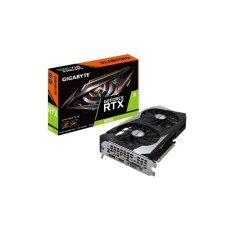
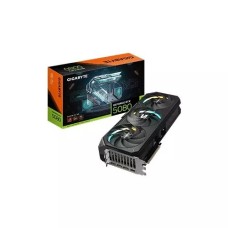
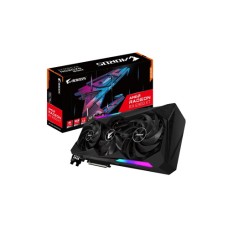
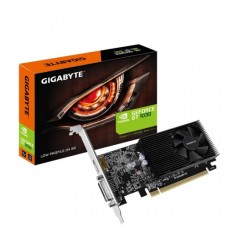
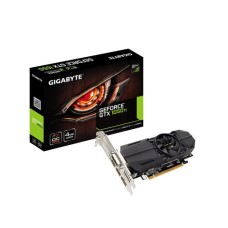
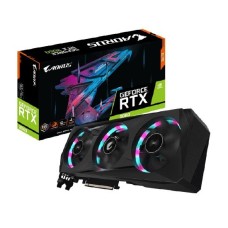
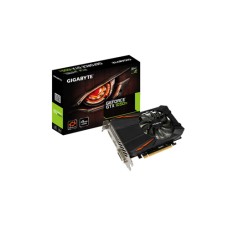
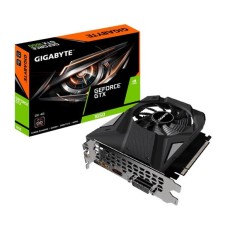
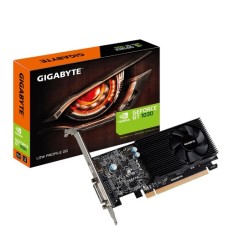
Gigabyte: Offers AORUS for high-end and Windforce or Eagle for value. Great cooling with triple-fan designs. The Gigabyte graphics card price in BD covers every tier.
We also carry Zotac, Palit, Galax, Colorful, Inno3D, Sapphire, PowerColor, XFX and ASRock. Every card is official and authentic, with valid warranty.
A quick tip: premium models run cooler and quieter. Value models give the same chip at a lower cost. Both deliver similar FPS.
Graphics Card for Video Editing, 3D and AI
A GPU isn't just for gaming. Creators rely on it every day. It speeds up editing, rendering and AI tasks.
A good graphics card for video editing cuts export times in Premiere Pro and DaVinci Resolve. NVENC and AV1 encoders make streaming and exports faster.
For 3D work in Blender, NVIDIA's CUDA and OptiX give a big boost. For AI tools like Stable Diffusion, more VRAM lets you run bigger models.
Here is what creators should look for:
- NVIDIA RTX cards for best app support.
- 12GB to 16GB VRAM for editing and 3D.
- 16GB or more for AI and large projects.
- AV1 encoding for modern streaming.
Content creators often choose the RTX 5070 Ti or higher. They balance power, VRAM and price well.
PSU, Case and Motherboard Compatibility
A powerful GPU needs the right system around it. Skip this step, and you may face crashes or fitting problems.
Power supply (PSU): Every GPU lists a recommended PSU wattage. Always follow it or go higher.
- RTX 5060 or RX 9060 XT: 550W to 600W.
- RTX 5070 or RX 9070: 650W to 750W.
- RTX 5080: 850W.
- RTX 5090: 1000W or more.
Pick an 80 Plus Bronze or Gold PSU from a trusted brand. Newer cards use the 12V-2x6 connector, so check your PSU supports it or includes an adapter.
Need more power for your new card? Browse our 80 Plus Gold power supply price in BD range.
Case clearance: High-end cards can be over 330mm long. Measure your case's GPU clearance before ordering. Thick triple-slot cards also need extra space.
Motherboard slot: New GPUs use PCIe 5.0 x16. They work fine in PCIe 4.0 and 3.0 slots too, with a very small speed difference.
Building on a new platform? Check our PCIe 5.0 motherboard price in Bangladesh list.
Send us your PSU, case and motherboard model. We will confirm the fit for free.
Cooling, Heat and Bangladesh's Climate
Graphics cards run hot under heavy load. Our hot, humid weather makes this harder. Room temperatures above 32°C push GPU temps even higher.
When a GPU overheats, it lowers its clock speed. Your FPS drops, and fans get loud. Good cooling keeps performance steady.
Here is how we suggest keeping your GPU cool:
- Choose a dual-fan or triple-fan model for mid and high-end cards.
- Use a case with strong front intake and rear exhaust fans.
- Clean dust from fans and heatsinks every few months.
- Keep your PC away from walls and direct sunlight.
Big cards need room to breathe. Our gaming PC casing with high airflow fits long GPUs and extra fans.
Dust builds up fast in Dhaka and other cities. It clogs fins and raises temps. A soft brush and compressed air work well.
Some cards have a dual BIOS with a quiet mode. It's great for night gaming and quiet rooms.
Avoid CPU Bottleneck: Balance Your Build
A strong GPU needs a matching processor. If the CPU is too slow, the GPU waits. This is called a CPU bottleneck.
The best graphics card for gaming only shines with a balanced system. Here is a simple pairing guide:
- RTX 5060 or RX 9060 XT: Core i5 or Ryzen 5.
- RTX 5070 or RX 9070 XT: Core i5 14th Gen, Ryzen 5 7600 or better.
- RTX 5080 or RTX 5090: Core i7, Core Ultra 7, Ryzen 7 9800X3D or higher.
Upgrading your CPU as well? Pair it with a compatible motherboard for gaming PC builds.
Bottlenecks hurt most at 1080p. At 1440p and 4K, the GPU does more of the work. So high-end cards suit high-resolution monitors best.
Pair your card with the right monitor too. A 144Hz or 165Hz display lets you actually see those high frame rates.
Avoid Used and Grey Cards: Buy Authentic
The market has many used, mining-worn and grey-import cards. They may look new but fail early. Many come with no valid warranty.
Here are warning signs to watch for:
- Price far below the normal market rate.
- No official warranty card or serial.
- Scratched ports, dusty fans or loose screws.
- Box seals that look opened or resealed.
Every graphics card we sell is official and brand-new. It comes sealed, with full brand warranty, often 2 to 3 years.
If your card faces a problem, we help with the claim. We don't leave you to handle the service center alone. That peace of mind is worth a lot on an expensive part.
AMD Radeon and Value Picks
Want strong gaming for less? AMD cards often give more VRAM per taka. The AMD Radeon graphics card price makes it a smart pick for pure gamers.
The RX 9060 XT offers up to 16GB of VRAM at an entry price. The RX 9070 XT competes with NVIDIA's upper mid-range cards. Both support FSR 4 for smoother frame rates.
Intel Arc is another value option. The Arc B580 gives 12GB VRAM for budget 1080p and 1440p builds. Driver support has improved a lot.
Where Can I Order a Graphics Card at a Discounted Price in BD?
At SpeedTech, we make GPU buying simple. You get the latest price, live in-stock status and honest advice in one place.
Why gamers and creators across Bangladesh trust us:
- 100 percent official and authentic cards.
- Full brand warranty with claim support.
- Fast, safe delivery across Dhaka and Bangladesh.
- Free PSU, case and CPU compatibility checks.
Browse our full graphics card range above. Compare NVIDIA, AMD and Intel models by VRAM and brand. Need help? Our team is one message away.
Frequently Asked Questions
What is the graphics card price in Bangladesh?
The graphics card price in Bangladesh depends on chipset, VRAM and brand. Entry cards like the RTX 5060 cost the least. RTX 5080 and 5090 cost the most. Check our page for the latest price.
Where can I buy a graphics card in Bangladesh?
You can buy a graphics card from SpeedTech. We sell official ASUS, MSI, Gigabyte, Zotac and Sapphire cards with warranty and deliver across Bangladesh.
What makes an RTX graphics card ideal for gamers?
RTX cards offer strong ray tracing and DLSS 4 frame generation. You get higher FPS and better visuals, plus great support for streaming and creator apps.
NVIDIA vs AMD, which graphics card is better?
NVIDIA is better for ray tracing, AI and creator apps. AMD often gives more VRAM for the money. Pure gamers on a budget may prefer AMD.
Is 8GB VRAM enough in 2026?
8GB is enough for 1080p and esports games. New AAA games at high settings may need 12GB or more. For future-proofing, we suggest 12GB to 16GB.
How much PSU do I need for an RTX 5070?
An RTX 5070 needs a 650W to 750W PSU. Choose an 80 Plus Bronze or Gold unit from a trusted brand for stable power.
Will a PCIe 5.0 GPU work on a PCIe 4.0 motherboard?
Yes, it works fine. PCIe is backward compatible. The performance difference is very small for gaming.
Is a graphics card needed for video editing?
Yes, a dedicated GPU speeds up editing and exports a lot. NVIDIA cards with NVENC and 12GB or more VRAM work best in Premiere Pro and DaVinci Resolve.
How long does a graphics card last?
A good graphics card lasts 5 to 7 years with normal use. Clean dust regularly and keep temps low to extend its life.
Why does my graphics card get hot?
GPUs heat up under heavy load, especially in hot rooms. Poor case airflow and dust make it worse. Better fans and regular cleaning lower temps.