Your compare list is empty!

search
shopping_basket0
Compare Product (0)
closeYour compare list is empty!
YOUR CART
closeYour shopping cart is empty!
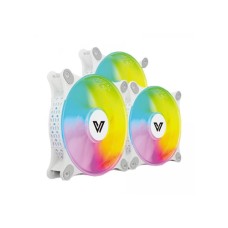
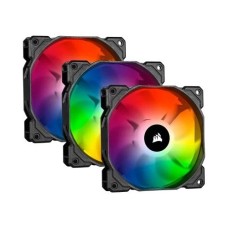
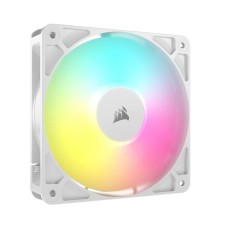
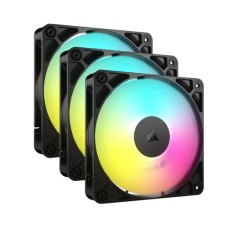
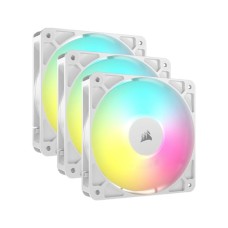
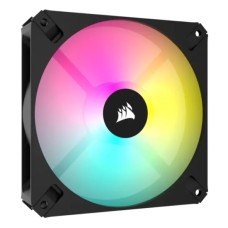
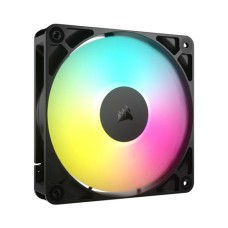
Is your PC running hot even with a good cooler? Do fans sound like a jet engine during games? Better case fans can fix both problems. Here at SpeedTech, we list the latest Casing Fan Price in Bangladesh for every build. We help you pick fans that keep your PC cool, quiet and good-looking.
Your CPU and graphics card make a lot of heat. That heat must leave the case. Casing fans move cool air in and push hot air out.
Without good airflow, heat builds up inside. Parts get hot and slow down. This is called thermal throttling. Your FPS drops and fans get louder.
The right case fans give you:
Many cases ship with just one basic fan, or none at all. We see builders add two or three good fans and drop temps by 5 to 10°C. It's one of the cheapest upgrades you can make.
Planning a full build? Explore our PC components for custom gaming build in one place.
Fan size matters a lot. Bigger fans move more air at lower speeds. That means better cooling with less noise.
Always check which sizes your case supports. We list every size with the latest price and live stock.
The 120mm fan is the standard size. Almost every case supports it. It fits the front, top and rear mounts in most builds.
Many buyers check the 120mm casing fan price in BD first. It gives the widest choice of brands, colors and RGB styles.
For most gaming builds, three 120mm fans in front and one at the rear work great.
Want strong airflow with less noise? A 140mm fan moves more air at lower RPM. That makes it quieter than a 120mm fan at the same airflow.
The 140mm case fan price is slightly higher. But it's worth it for silent builds and large airflow cases.
Check your case first. Many mid-tower cases support two 140mm fans in front. They also fit 280mm AIO radiators.
Need a case with room for bigger fans? Browse our high airflow mesh PC casing range.
Some builds need special sizes.
80mm and 92mm: Used in small cases, older PCs, servers and some CPU coolers. They spin faster and can be louder.
200mm: Big fans for large cases with special front mounts. They move huge air very quietly. Few cases support them, so check first.
Slim 15mm fans also exist. They help in tight spaces, like small form factor builds or thick radiators.
Not all fans are made for the same job. There are two main types. Picking the right one improves cooling a lot.
Airflow fans: Move lots of air in open spaces. Best for the rear exhaust and open front panels. A high airflow fan keeps air moving freely through the case.
Static pressure fans: Push air through tight spaces. Best for radiators, dense dust filters and closed front panels. They keep air moving even against resistance.
Here's a quick guide:
Many modern fans are "hybrid" designs. They balance both airflow and pressure. These are a great all-round choice for most builds.
Airflow is measured in CFM. Static pressure is measured in mmH2O. Higher numbers mean better performance for each job.
Planning a radiator setup? Check our 240mm and 360mm liquid CPU cooler range to pair with pressure fans.
Fans don't just cool your PC. They can also make it look amazing. Lighting is one of the most popular upgrades for gaming builds.
There are two main lighting types:
RGB fans (4-pin 12V): The whole fan shows one color at a time. You can change the color, but every LED matches.
ARGB fans (3-pin 5V): Each LED can show a different color. This creates rainbow waves, patterns and smooth effects. ARGB is also called addressable RGB.
The RGB casing fan price in Bangladesh is only a little higher than plain fans. The ARGB fan price gives the most lighting control for creative builds.
Many buyers choose a 3 pack RGB fan with controller. It includes three fans, a hub and sometimes a remote. It's the easiest way to add lighting to a new build.
Important safety tip: never plug a 5V ARGB fan into a 12V RGB header. It can burn out the LEDs. Always match the connector to your motherboard header.
Most ARGB fans sync with motherboard software. This includes ASUS Aura Sync, MSI Mystic Light, Gigabyte RGB Fusion and ASRock Polychrome.
Want full lighting control from one app? Choose a motherboard with ARGB and fan headers for easy sync.
Fans connect to your motherboard or a fan hub. The connector type decides how well you can control the speed.
3-pin DC fans: Speed is controlled by changing voltage. It works, but control is less precise. These fans are often cheaper.
4-pin PWM fans: Speed is controlled by a special signal. Control is smooth and precise. A PWM case fan can spin very slowly when your PC is idle, then speed up under load.
PWM fans give you:
Many modern fans also support daisy-chaining. You connect fans to each other in a line. Only one cable goes to the motherboard. It makes cable management much cleaner.
Some brands, like Lian Li UNI FAN, use snap-together designs. The fans link up with no messy cables at all.
The brand affects airflow, noise, lighting quality and life span. We only stock official fans from trusted makers.
Lian Li: Famous for UNI FAN series with snap-together design and clean cables. The Lian Li UNI FAN price in BD attracts builders who want a clean, premium look.
Deepcool: Offers great value with strong airflow and bright ARGB. The Deepcool fan price fits almost every budget.
Corsair: Known for iCUE RGB fans with rich lighting control. Many gamers check the Corsair RGB fan price in BD for premium builds.
Arctic: The P12 and P14 series are loved for quiet, high-performance cooling. The Arctic P12 price makes it a top budget choice for silent builds.
Cooler Master: Offers SickleFlow and MasterFan lines with solid airflow and ARGB. The Cooler Master fan price covers budget to mid-range builds.
We also carry Noctua, Thermalright, Thermaltake, NZXT, be quiet!, Montech, Antec and Gamdias. Every fan is official and authentic, with brand warranty.
Buying good fans is step one. Placing them right is step two. The wrong setup can trap heat inside.
Here's the simple rule: cool air in at the front and bottom, and hot air out at the top and rear.
A typical setup looks like this:
Hot air rises, so top exhaust fans work well. Rear exhaust pulls heat from the CPU area.
High-end GPUs dump a lot of heat inside the case. Match strong airflow with the right RTX graphics card for gaming PC builds.
Positive pressure: More intake than exhaust. Air leaks out through gaps. This keeps dust out, since air enters only through filtered fans.
Negative pressure: More exhaust than intake. It can cool well but pulls dust in through gaps.
We suggest slight positive pressure for most builds. It balances cooling with less dust. That matters a lot in dusty cities like Dhaka.
Nobody likes a loud PC. Fan noise depends on size, speed, blade design and bearing type.
Noise is measured in dBA. Under 25 dBA is very quiet. Over 35 dBA becomes noticeable.
The bearing type decides noise and life span:
A silent case fan usually uses a fluid dynamic bearing and a larger size. Rubber anti-vibration pads also help cut humming noise.
Set a custom fan curve in your BIOS. Fans stay slow when the PC is idle, then speed up only when needed.
Our weather is tough on PCs. Summers are hot and humid. Room temperatures often cross 32°C. Dust builds up fast, especially in Dhaka and other busy cities.
Hot room air means hotter parts inside the case. Your fans must work harder to keep temps low. Dust makes things worse by blocking airflow.
Here's how we suggest handling local conditions:
Dust on fan blades lowers airflow and adds noise. A quick clean can drop temps by several degrees.
Humidity can affect cheap fans over time. Quality fans with good bearings last much longer in our climate. That's why we always suggest trusted brands.
Hot-running chips need extra airflow in summer. Compare our Intel and AMD processor for gaming PC with full power specs.
Installing case fans is easy. Most take just a few minutes each. Here's how to do it right.
Check airflow direction: Look at the side of the fan. Small arrows show airflow and blade spin direction. The open side usually pulls air in, and the frame side pushes it out.
Mount the fan: Use the screws that came with the fan or case. Tighten them evenly to avoid vibration.
Connect the power:
Fan hubs and controllers: Many motherboards have only 3 or 4 fan headers. A fan hub lets you run many fans from one header. Some hubs also control ARGB lighting.
Hubs often need SATA power from the PSU. Make sure your power supply has a free SATA cable.
After installing, open your BIOS. Set a fan curve so fans stay quiet at idle. Test temps with a game or stress test.
Gamers need strong airflow and good looks. The best case fan for gaming PC setups usually has:
A great gaming setup uses three ARGB fans in front, one at the rear and two at the top. This keeps both CPU and GPU cool during long sessions.
Want matching lighting inside? Add RGB desktop RAM for gaming PC that syncs with your fans.
Budget builders can start with a triple pack plus a rear exhaust. It gives big cooling gains for little money.
Complete your setup with a 144Hz gaming monitor in Bangladesh for smooth gameplay.
Cheap copy fans flood the market. They look similar but use weak motors and poor bearings. Many get loud or stop working within months.
Every casing fan we sell is official and brand-new. It comes with valid brand warranty, often 1 to 6 years depending on the model.
What you get from us:
If a fan fails, we help with the claim. You don't have to handle it alone.
At SpeedTech, we make buying case fans simple. You get the latest price, live in-stock status and honest advice in one place.
Why PC builders across Bangladesh trust us:
Browse our full casing fan range above. Compare size, lighting, noise and brand. Need help? Our team is one message away.
The casing fan price in Bangladesh depends on size, lighting and brand. Basic 120mm fans cost the least. Premium ARGB triple packs cost more. Check our page for the latest price.
You can buy a casing fan from SpeedTech. We sell official Lian Li, Deepcool, Corsair and Arctic fans with warranty and deliver across Bangladesh.
ARGB fans offer strong cooling with custom lighting effects. They keep gaming PCs cool during long sessions and sync with motherboard RGB software.
Most builds need 3 to 5 fans. Two or three front intake fans and one or two exhaust fans work well for gaming PCs.
A 140mm fan moves more air at lower noise. A 120mm fan fits more cases and radiators. Choose based on your case support.
RGB fans show one color at a time and use 4-pin 12V. ARGB fans control each LED separately and use 3-pin 5V.
Front fans should be intake. They pull cool air in. Rear and top fans should be exhaust to push hot air out.
Yes, PWM fans give smoother, more precise speed control. They stay quieter at idle and speed up only when needed.
Yes, good case fans can lower CPU and GPU temps by 5 to 10°C. Proper intake and exhaust setup makes the biggest difference.
Yes, use an ARGB fan hub with its own controller. Many triple packs include one. It powers lighting from SATA without a motherboard header.
Speed Technology & Engineering Ltd Cooling Fan Price List page shows you prices for the latest Cooling Fan models available in Bangladesh with Avail benefits such as free shipping, EMI, extended warranty, and assured buyback. Find the lowest prices in Bangladesh along with product specifications, key features, pictures, ratings & more. The lowest prices are obtained for easy price comparison. Follow us on Facebook For Regular updates & offers. Subscribe to Our YouTube Channel for Product Reviews.
View today 2026-10-01 last updated prices of Cooling Fan in Bangladesh.
| Cooling Fan List | Price in BD |
| VALUE-TOP CR10-W1292ARGB ARGB WHITE FAN KIT | 1,575৳ |
| Corsair RS120 ARGB White 120mm Fan Single Pack | 1,100৳ |
| Corsair RS120 ARGB Black 120mm Fan X 3 Triple Pack | 3,500৳ |
| Corsair RS120 ARGB White 120mm Fan X 3 Triple Pack | 3,500৳ |
| Corsair iCUE AR120 Digital RGB 120mm PWM Single Casing Fan | 1,500৳ |
| Corsair RS120 ARGB Black 120mm Fan Single Pack | 1,000৳ |
| CORSAIR ICUE SP120 RGB PRO 120MM FAN | 5,000৳ |