
-228x228.png "Corsair MP600 MINI 1TB PCIe Gen4 NVMe M.2 SSD")
Top SSD Price in Bangladesh for Fast Boot and Gaming Speed
Is your PC still slow to start? Do games load forever? A new SSD fixes that in minutes. Here at SpeedTech, we show the latest SSD Price in Bangladesh in one place. We help you pick the right drive for speed, budget and your build.
Why an SSD Upgrade Changes Everything
An old hard drive is the biggest slowdown in most PCs. It spins. It waits. It drags your whole system down.
An SSD has no moving parts. It reads data almost instantly. Your boot time drops to seconds, and apps open right away.
Here is what you notice on day one:
- Windows starts in about 10 to 15 seconds.
- Games load faster, with less stutter.
- Big files copy in a flash.
- Your PC runs quieter and cooler.
We see this with our customers every week. A small storage upgrade often feels like a brand-new PC. That's real value for your money.
Planning a full build? Check our PC components in Bangladesh to match every part with your new drive.
SSD Price in Bangladesh by Capacity
Capacity is the first choice you make. More space costs more. But the price per GB drops as size goes up.
We list every size with the latest price and live stock status. Let's break it down by need.
256GB SSD (Budget Boot Drive)
Want a cheap speed boost? A 256GB drive is the simple start. It holds Windows, your browser and daily apps.
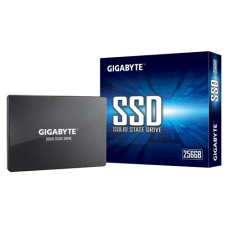
Many buyers search for the 256GB SSD price in BD for office PCs. It's also great for reviving an older laptop. Pair it with a hard drive for extra storage.
512GB SSD (Everyday Sweet Spot)
This is the size most people should buy. It fits Windows, work software and a few games. You won't run out of space too soon.
Check our 512GB SSD price list for both SATA and NVMe options. It's the best balance of cost and room for students and home users.
1TB NVMe SSD (Gamers and Creators)
Modern games are huge. Some need over 100GB each. A 1TB drive gives you breathing room.
Gamers and video editors love this size. The 1TB NVMe SSD price in Bangladesh has dropped a lot lately. So it's now a smart main drive for any build.
- Room for 6 to 10 big games.
- Fast read speed for editing timelines.
- Enough space for projects and cache files.
2TB SSD (Heavy Workloads)
Do you edit 4K video? Keep a huge game library? Then think bigger.
A 2TB drive keeps everything on fast storage. No more moving files around. Our 2TB SSD price range covers both Gen 3 and Gen 4 models. Performance users rarely regret this size.
SATA vs NVMe vs Gen 4: Know Your Interface
The interface decides your real speed. This is where many buyers get confused. So let's keep it simple.
SATA SSD: Top speed is about 550 MB/s. It works in almost every PC and older laptop. Great for budget upgrades.
NVMe Gen 3: Speeds reach about 3,500 MB/s. That's six times faster than SATA. It fits the M.2 slot on most modern boards.
NVMe Gen 4: Speeds hit 7,000 MB/s or more. A Gen 4 SSD suits gaming rigs, creators and new platforms. Check that your motherboard supports PCIe 4.0 first.
Not sure what your system supports? Send us your model. We will check it for free.
Form Factor: 2.5 Inch vs M.2
Form factor means the physical shape. It must match your slot.
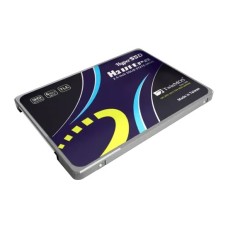
- 2.5 inch: Looks like a small box. Uses a SATA cable. Fits most desktops and older laptops.
- M.2 2280: A thin stick, 80mm long. Plugs straight into the board. Most NVMe drives use this shape.
Always check the slot type before you buy. Need more M.2 slots? Browse our motherboard with M.2 NVMe slot range.
Top SSD Brands We Stock
The brand you pick matters. A trusted brand means better parts, steady speed and a real warranty. We only stock names with a proven track record.
Samsung: Known for top speed and strong controllers. Samsung SSDs are a favorite with creators and power users. Many buyers check the Samsung SSD price in BD first.
Kingston: Reliable and budget friendly. Kingston drives work well in office PCs and laptops. The Kingston SSD price in BD makes it a popular first upgrade.
Western Digital (WD): Well known for its Green, Blue and Black series. Gamers like the WD Black line for its high read speed. Our WD SSD price in BD list covers every series.
We also carry more trusted names:
- Apacer SSD price in Bangladesh for budget-friendly daily use.
- Corsair NVMe SSD for gaming for high-speed builds.
- Crucial SSD price in BD for great value and reliability.
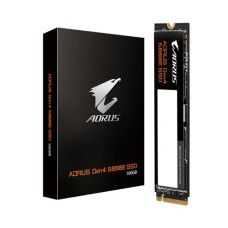
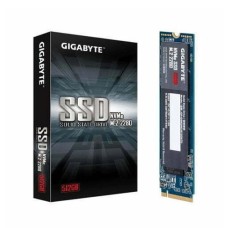
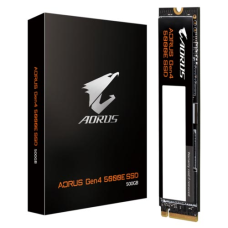
- Gigabyte SSD for gaming PC for matching Gigabyte builds.
Every drive is official and authentic, and it comes with proper brand warranty.
Gaming SSD and SSD for PS5
Load screens kill the fun. A fast gaming SSD cuts them down a lot. Open worlds load quicker, and textures pop in without delay.
For gaming, we suggest these specs:
- NVMe interface, Gen 4 if your board supports it.
- 1TB or more for modern titles.
- A drive with DRAM cache for steady speed.
Fast storage works best with strong graphics. Pair your drive with a graphics card for gaming PC for smooth frame rates.
Own a PlayStation 5? You can add more storage easily. An SSD for PS5 must be M.2 NVMe Gen 4. Sony recommends a read speed of 5,500 MB/s or higher.
The PS5 slot fits drives up to 110mm long. Most 2280 drives fit without trouble. We can help you pick one that's confirmed to work.
Do You Need an SSD with Heatsink?
Fast drives get hot. When they overheat, they slow down to protect themselves. This is called thermal throttling.
An SSD with heatsink stays cool under long loads. That keeps performance steady during gaming or big file transfers.
You need a heatsink if:
- You run a Gen 4 or Gen 5 drive.
- You're installing it in a PS5.
- Your motherboard has no M.2 cover.
Many boards already include a built-in heatsink. If yours does, a bare drive works fine. Laptops usually need a slim drive with no heatsink.
Laptop SSD Price and Compatibility Check
A laptop upgrade is the cheapest way to feel new speed. But not every drive fits every laptop. So check first, buy second.
Our laptop SSD price range covers both SATA and NVMe drives. Here is how to find what your laptop takes:
- Check the model number under the laptop.
- Look up whether it has a 2.5 inch bay or an M.2 slot.
- Confirm whether the M.2 slot supports SATA, NVMe or both.
- Check the maximum supported length, usually 2280.
Thin laptops often have one M.2 slot only. Older models may have a 2.5 inch bay instead. Some gaming laptops have two slots, so you can add a second drive.
No free slot at all? A portable SSD for laptop backup plugs in by USB and adds fast space.
Still unsure? Tell us your laptop model. Our team will confirm compatibility before you order, which saves you time and hassle.
SSD vs HDD: Which One Fits Your Build?
This is one of the most asked questions we get. Let's compare them side by side in plain words.
Speed: An SSD is far faster. Even a SATA SSD beats an HDD by about five times. NVMe is much faster still.
Durability: An SSD has no moving parts, so it handles bumps and drops better. An HDD can fail if it gets knocked while it's running.
Capacity per taka: An internal hard disk drive for storage gives more space for less money. It's good for backups, movies and archives.
Noise and heat: An SSD is silent and uses less power. An HDD spins, clicks and runs warmer.
So which should you choose? The SSD vs HDD debate has a simple answer for most users. Put Windows, apps and games on an SSD, and keep an HDD for bulk storage. You get speed and space together.
Budget is tight? Start with the cheapest SSD in BD as your boot drive, then keep your old HDD for files. This combo gives the biggest jump in speed for the lowest cost.
Endurance, Warranty and Authentic Products
How long will your SSD last? That depends on its endurance rating, called TBW. TBW means terabytes written. It shows how much data the drive can write over its life.
A 500GB drive often has 300 TBW or more. For normal users, that's many years of daily use. Gamers and home users rarely come close to the limit.
Here is what affects durability:
- NAND type: TLC lasts longer than QLC.
- DRAM cache: It helps speed and reduces wear.
- Heat: Cooler drives age more slowly.
- Free space: Leave about 10 to 20 percent empty.
Warranty matters too. Most good brands give 3 to 5 years. Every SSD we sell is official, with a valid brand warranty. No grey imports. No refurbished stock sold as new.
We also help with warranty claims. If a drive fails, you don't have to deal with the brand alone. That's the trust we build with every order.
How to Pick the Best SSD for PC
Too many choices? Let's make it easy. The best SSD for PC depends on your use, not just the spec sheet.
For office and study: A 256GB or 512GB SATA drive is enough. It gives fast boot and quick apps at a low cost.
For gaming: Pick a 1TB NVMe drive. Go Gen 4 if your board supports it. Add a heatsink for long sessions.
For content creators: Choose 1TB or 2TB with a DRAM cache. Steady write speed matters for video and large project files.
For upgrading an old PC: A SATA drive is the safe choice, since it works with almost any system.
Before you buy, check three things:
- Your slot type: M.2 or 2.5 inch.
- Your interface support: SATA, Gen 3 or Gen 4.
- Your budget and real storage needs.
Match these three, and you'll never buy the wrong drive.
Where to Get Genuine SSD at the Best Price in BD?
At SpeedTech, we make buying storage simple. You get the latest price, live in-stock status and honest advice in one place.
Here is why buyers across Bangladesh trust us:
- 100 percent official and authentic products.
- Full brand warranty with claim support.
- Fast delivery across Dhaka and all of Bangladesh.
- Free compatibility checks before you order.
Browse our full SSD range above. Compare capacity, speed and brand. Then pick the drive that fits your build. Need help? Our team is one message away.