Printer Performance Hub: Speed Up Your System in 2026
A printer is an essential output device that converts digital files into physical copies on paper. From school assignments and office documents to photos and invoices, printers play a vital role in both personal and professional environments. Modern printers come in various types such as inkjet, laser, dot matrix, and all-in-one printers, each designed for different workloads. As technology advances, printers in 2026 are built to deliver higher speed, better print quality, and lower running costs. For home users and students, compact inkjet printers offer affordable printing with decent color output. Offices and businesses, on the other hand, benefit from laser printers that provide fast printing speeds, sharp text quality, and high monthly duty cycles. All-in-one printers are also gaining popularity as they combine printing, scanning, and copying in one efficient device. When it comes to budget planning, Printer price in Bangladesh varies depending on brand, type, and features. Entry-level printers usually start from around BDT 6,000–8,000, suitable for light home use. Mid-range printers with wireless and duplex features may cost BDT 12,000–25,000, while advanced office printers can go much higher depending on speed and capacity. For budget-conscious buyers, finding a printer price in BD under 10,000 is still possible in 2026. These printers are ideal for students, home users, and small tasks like assignments, bills, and basic documents. While they may not be the fastest, they deliver reliable performance for everyday needs. Before buying, consider print speed (PPM), print resolution, connectivity options, cartridge or toner cost, and brand support. Choosing the right printer from Speed Technology and Engineering Ltd. with advanced speed tech ensures efficiency, reliability, and long-term value in 2026.
Types of Printers for Home and Office
Choosing the right printer depends on your specific needs whether for home use, office work, or specialized tasks. In 2026, printers come in various types, each designed to deliver efficiency, quality, and convenience. Here are 6 important types of printers to consider:
Laser Printer
Laser printers are popular for offices and businesses due to their high-speed printing and sharp text quality. They use toner instead of ink, which makes them cost-effective for large volumes. Ideal for printing documents, reports, and invoices, they are known for durability and low maintenance. Popular models like HP LaserJet Pro and Canon LBP series are top choices for professional environments.
Inkjet Printer
Inkjet printers are versatile and perfect for home users, students, and small offices. They produce high-quality prints, especially for photos and graphics. Inkjet printers are generally more affordable initially, but ink refills can be costly. Modern models often include wireless connectivity and compact designs, making them convenient for everyday use.
Label Printer
Label printers are specialized devices designed for printing stickers, barcodes, and address labels. These are widely used in logistics, retail, and small businesses for easy organization and product tagging. They are fast, precise, and compatible with multiple label sizes.
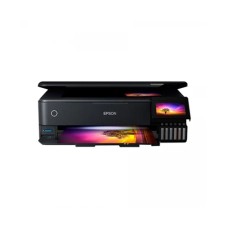
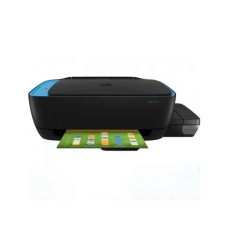
Ink Tank Printer
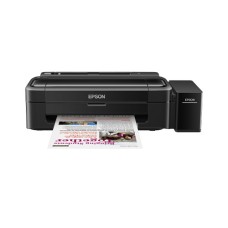
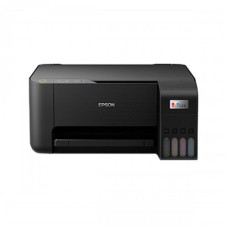
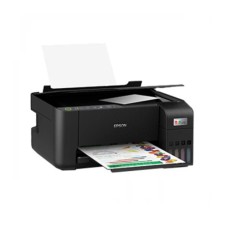
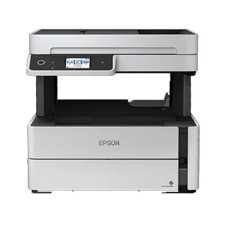
Ink tank printers are becoming increasingly popular because of their low running cost and high-capacity ink tanks. They are suitable for heavy printing at home or in offices and reduce the need for frequent cartridge replacements. Brands like Epson EcoTank and Canon PIXMA G series are top performers in this category.
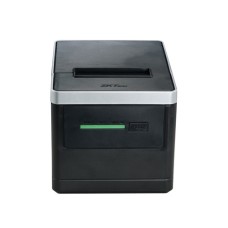
POS Printer
POS (Point of Sale) printers are used in retail stores, restaurants, and banks. They are designed to print receipts quickly and reliably, supporting thermal printing technology for speed and efficiency. Compact and durable, they are essential for daily business operations.
Large Format Printer
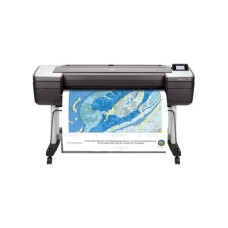
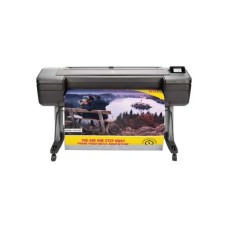
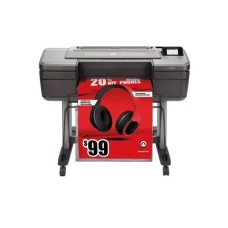
Large format printers are used for posters, banners, architectural designs, and professional artwork. They support wide paper sizes and high-resolution prints. These printers are ideal for graphic designers, advertising agencies, and businesses that require large visual displays.
The Tech Behind Printer Speed – Key Performance Factors You Should Know
When it comes to printers, speed isn’t just about how fast pages come out it’s a combination of technology, design, and functionality. Understanding the key factors that affect printer performance can help you choose the right device for your home, office, or professional needs. Here are 7 important points to consider:
- Printer Type: The type of printer significantly impacts speed. Laser printers are the fastest for large volumes, while inkjet and ink tank printers are slower but offer better color quality for photos and documents. Dot matrix printers are ideal for continuous-form paper and specific industrial tasks but are generally slower.
- Interface Options: Connectivity affects how quickly a printer receives and processes jobs. Printers with USB, Wi-Fi, and LAN support offer faster and more flexible setups, enabling multiple devices to print seamlessly.
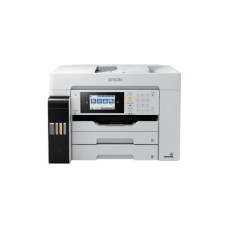
- Functionality: All-in-one printers that include print, scan, copy, and fax capabilities may have slightly slower print speeds than single-function devices, but they provide overall workflow efficiency. Professional photo printers focus on color accuracy, sometimes sacrificing speed for quality.
- Resolution: Higher resolution, ranging from 201 dpi to 1000 dpi, ensures sharper prints but can reduce printing speed. Select a resolution that strikes a balance between clarity and efficiency, tailored to your specific usage.
- Color Output: Printers capable of black & white and color printing generally have slower color page speeds (PPM) than black-only devices. Understanding your printing needs helps manage expectations.
- Page Speed (PPM): Color page speed ranges from less than 14.9 PPM to more than 24 PPM, while black page speed can reach similar levels. Laser printers often achieve higher PPM, making them ideal for offices with heavy print loads.
- Paper Size and Duty Cycle: Support for A4, Legal, A3, and A3+ sizes affects speed, especially for larger prints. Additionally, duty cycles, which can range from 1,000 to 80,000 pages, indicate how many pages a printer can reliably handle per month without wear and tear.
Advantages Of Using Network Printer
- Copying: In some situations, it is better to make a copy than to throw away the original. With the help of a printer, the task of copying has never been easier.
- Scanning: A scanner and a printer go together because you can put a document into a scanner and print it right away from your computer.
- Documentation preparation: Printers can serve multipurpose these days. It can help you get your paper presentation ready. Some machines let you staple and saddle stitch, so you can make your home office look like a professional place to work.
Printer Review
Printers, an essential office and home device, come in various types and brands. In general, printers provide a convenient way to produce physical copies of digital documents. They can be divided into categories like inkjet, laser, and all-in-one printers, each with its advantages.
Inkjet printers are popular for their versatility, capable of producing high-quality color prints and photos. Laser printers, on the other hand, excel at fast and cost-effective monochrome printing, making them suitable for high-volume tasks.All-in-one printers combine printing, scanning, copying, and sometimes faxing functionalities in a single device, providing excellent value for money and saving space.Key factors to consider when evaluating printers include print speed, print quality, connectivity options (like Wi-Fi and mobile printing), and operating costs (including ink or toner expenses).User reviews and professional recommendations can help you find a printer that aligns with your specific needs, whether it's for personal use, small business, or office applications.
Maximizing Longevity: Tips for Consistent Printer Performance
A printer is an essential tool for home, office, or business use, and maintaining it properly ensures consistent performance and long-lasting reliability. Here are 5 important tips to maximize the lifespan of your printer:
- Regular Cleaning: Dust and debris can affect print quality and speed. Clean the printer’s exterior, paper feed, and internal components regularly to prevent jams and maintain smooth operation.
- Use Genuine Cartridges or Toner: Always use original ink or toner cartridges recommended by the manufacturer. Third-party alternatives may reduce print quality and can damage the printer over time.
- Proper Paper Handling: Use the correct paper size and type for your printer. Avoid overloading the tray and store paper in a dry, cool place to prevent jams, smudges, or damage to rollers.
- Keep Software Updated: Regularly update printer drivers and firmware. Updated software improves compatibility with devices, enhances performance, and fixes bugs that could slow down printing.
- Manage Print Workload: Avoid exceeding the printer’s recommended duty cycle. High-volume printing on a device designed for light use can cause wear and shorten its lifespan.
Common Questions About Printer (FAQ)
What type of printer is best for home use?
An inkjet or ink tank printer is ideal for home use, offering good print quality for documents and photos at an affordable price.
How fast should my printer be?
For home and office use, 15–20 pages per minute (PPM) is sufficient, while high-volume offices may prefer 24 PPM or higher.
Can I print wirelessly from my phone or laptop?
Yes, most modern printers support Wi-Fi or USB-C connectivity, allowing printing directly from mobile devices, laptops, or tablets.
How long does a printer usually last?
With proper care, a quality printer can last 5–7 years, depending on usage and maintenance.
Should I choose a color or black & white printer?
If you only print text documents, a black & white printer is sufficient. For photos, presentations, or graphics, a color printer is recommended.